Personal Project
My Role: Product designer, UIUX Designer
Duration: 3 months
Tool: Figma
Tags: AI, UXD, User Research, Prototype, User Flow, Web Design
Personal Project
My Role: Product designer, UIUX Designer
Duration: 3 months
Tool: Figma
Tags: AI, UXD, User Research, Prototype, User Flow, Web Design
Personal Project
My Role: Product designer, UIUX Designer
Duration: 3 months
Tool: Figma
Tags: AI, UXD, User Research, Prototype, User Flow, Web Design
01. Overview
01. Overview
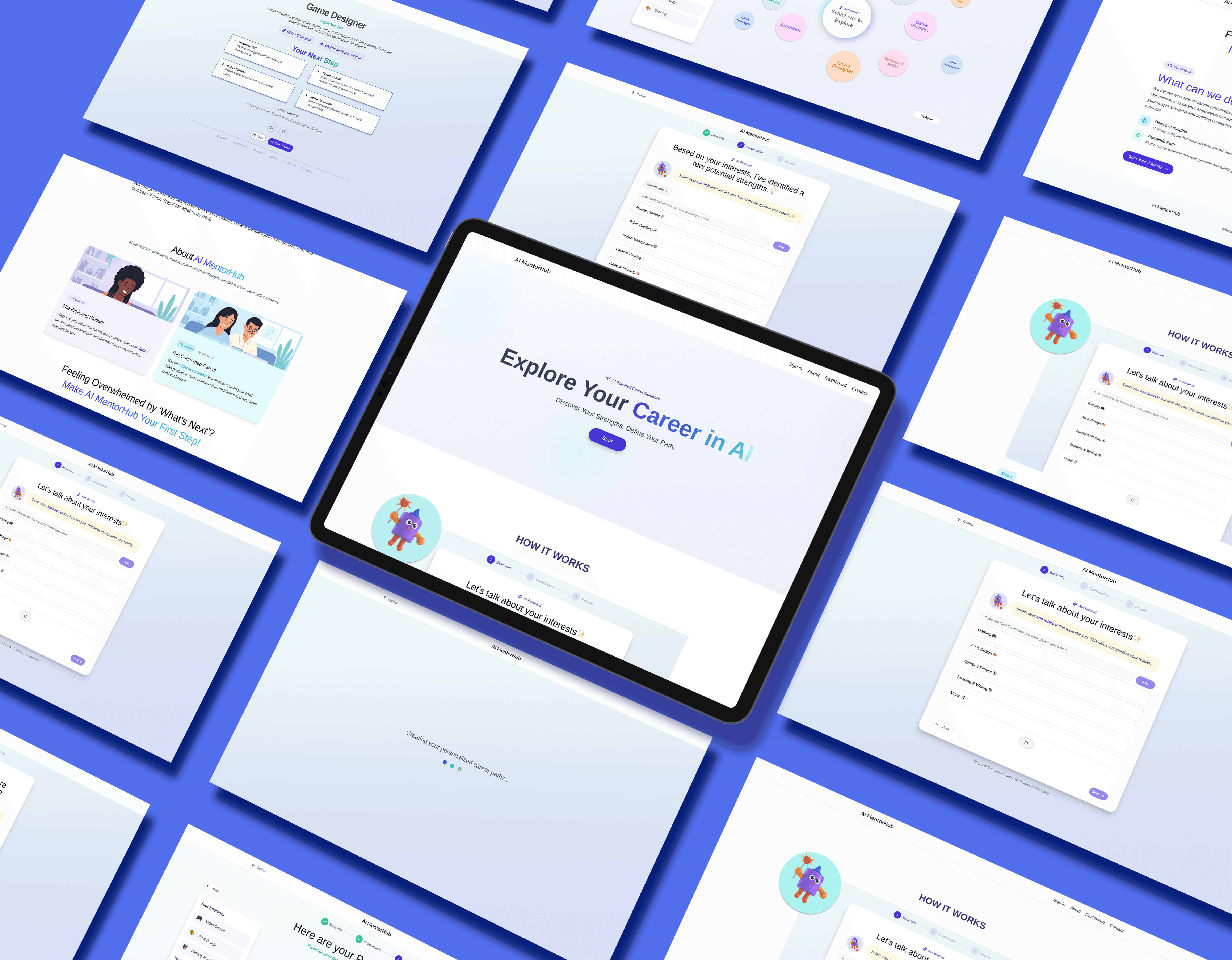
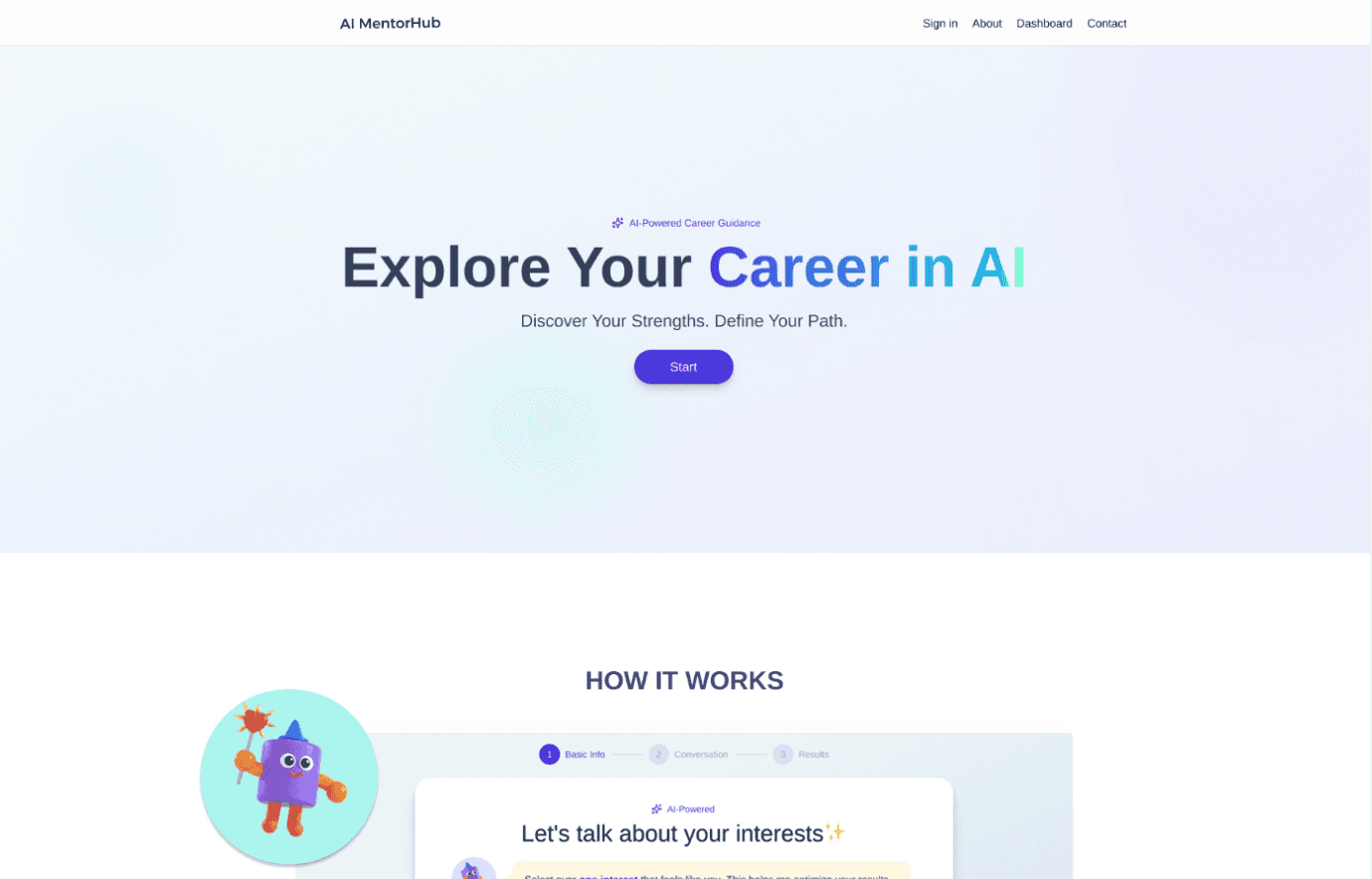
AI MentorHub is an AI-powered career guidance platform designed to help young people navigate their future with clarity. Through interactive guidance and personalized insights, it transforms uncertainty into actionable paths. The goal was to craft a "Youth-friendly" experience that empowers users to discover their strengths and visualize their careers with confidence and trust.
AI MentorHub is an AI-powered career guidance platform designed to help young people navigate their future with clarity. Through interactive guidance and personalized insights, it transforms uncertainty into actionable paths. The goal was to craft a "Youth-friendly" experience that empowers users to discover their strengths and visualize their careers with confidence and trust.
Research
Research
Research
High touch and personalized, but expensive, inaccessible, and
often outdated.
High touch and personalized, but expensive, inaccessible, and
often outdated.
High touch and personalized, but expensive, inaccessible, and
often outdated.
Define
Define
Define
High touch and personalized, but expensive, inaccessible, and
often outdated.
High touch and personalized, but expensive, inaccessible, and
often outdated.
High touch and personalized, but expensive, inaccessible, and
often outdated.
Design
Design
Design
High touch and personalized, but expensive, inaccessible, and
often outdated.
High touch and personalized, but expensive, inaccessible, and
often outdated.
High touch and personalized, but expensive, inaccessible, and
often outdated.
Prototype
Prototype
Prototype
High touch and personalized, but expensive, inaccessible, and
often outdated.
High touch and personalized, but expensive, inaccessible, and
often outdated.
High touch and personalized, but expensive, inaccessible, and
often outdated.
Test & Iterate
Test & Iterate
Test & Iterate
High touch and personalized, but expensive, inaccessible, and
often outdated.
High touch and personalized, but expensive, inaccessible, and
often outdated.
High touch and personalized, but expensive, inaccessible, and
often outdated.
Key Features
Visualize Complex data
Visualize Complex data
Encourage Exploration
Encourage Exploration
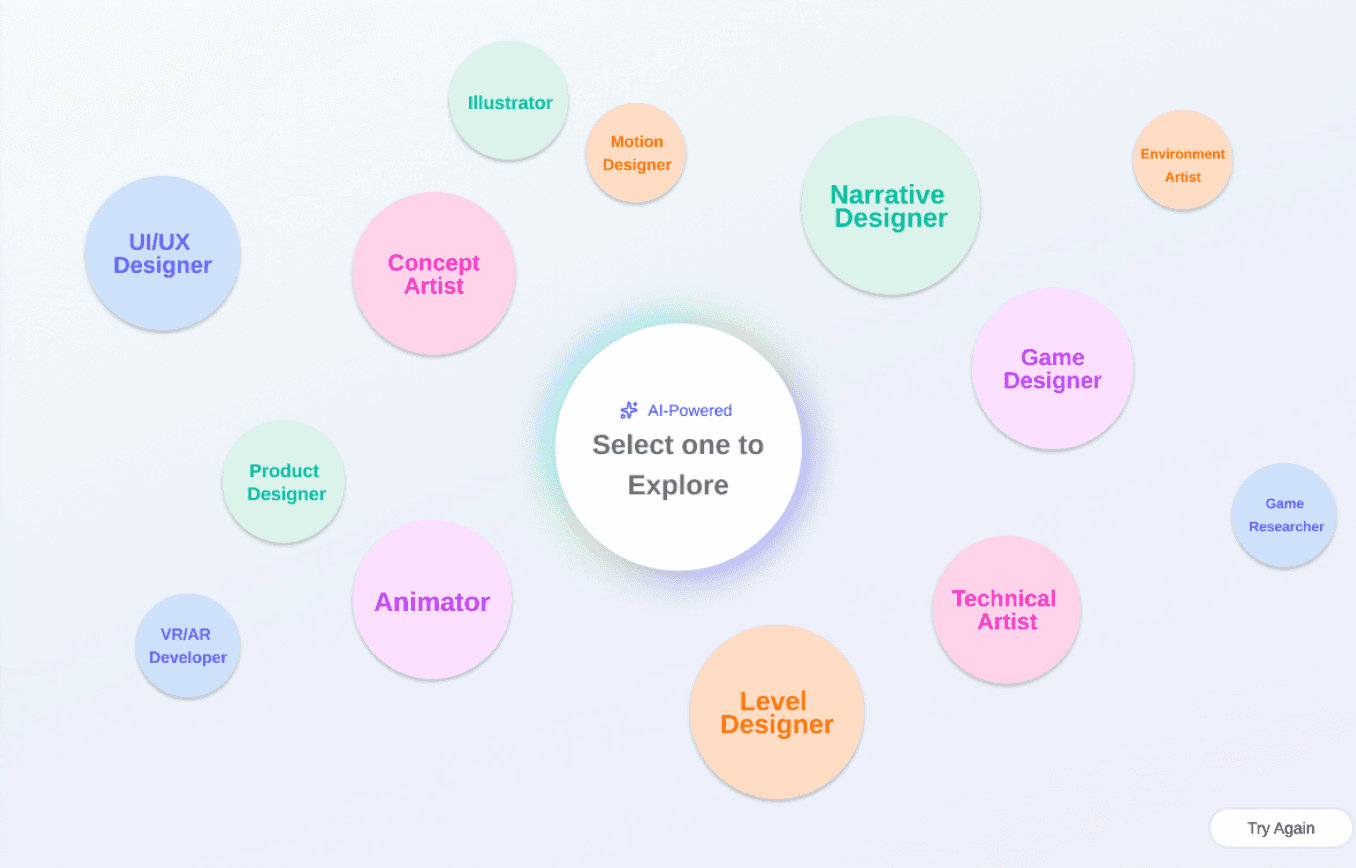
Dynamically generates a visual, interactive data-based network graph that maps out various career perfectly aligned with the user's inputs.
Dynamically generates a visual, interactive data-based network graph that maps out various career perfectly aligned with the user's inputs.
Explore Career Paths
Explore Career Paths
Establishes a "Relaxed Trust Platform"
Establishes a "Relaxed Trust Platform"
Reduces Cognitive Load
Reduces Cognitive Load
Utilizes a clean interface with a soothing, comfortable color palette, specifically tailored to resonate with a younger demographic.
Utilizes a clean interface with a soothing, comfortable color palette, specifically tailored to resonate with a younger demographic.
Relaxing UI & Trust-Building
Relaxing UI & Trust-Building
Low Barrier Interaction
Low Barrier Interaction
Replaces long, complex career assessments with a frictionless interaction model. Users can simply answer a few questions by clicking AI-generated choices.
Replaces long, complex career assessments with a frictionless interaction model. Users can simply answer a few questions by clicking AI-generated choices.
Lower the barrier of Using
Lower the barrier of Using
Create an intuitive, low effort experience
Create an intuitive, low effort experience

Color Palette
Color Palette
#DAD5FB
#DAD5FB
#A4F0FF
#A4F0FF
#1F2937
#1F2937
#1F2937
#1F2937
02. Competitive Analysis
02. Competitive Analysis

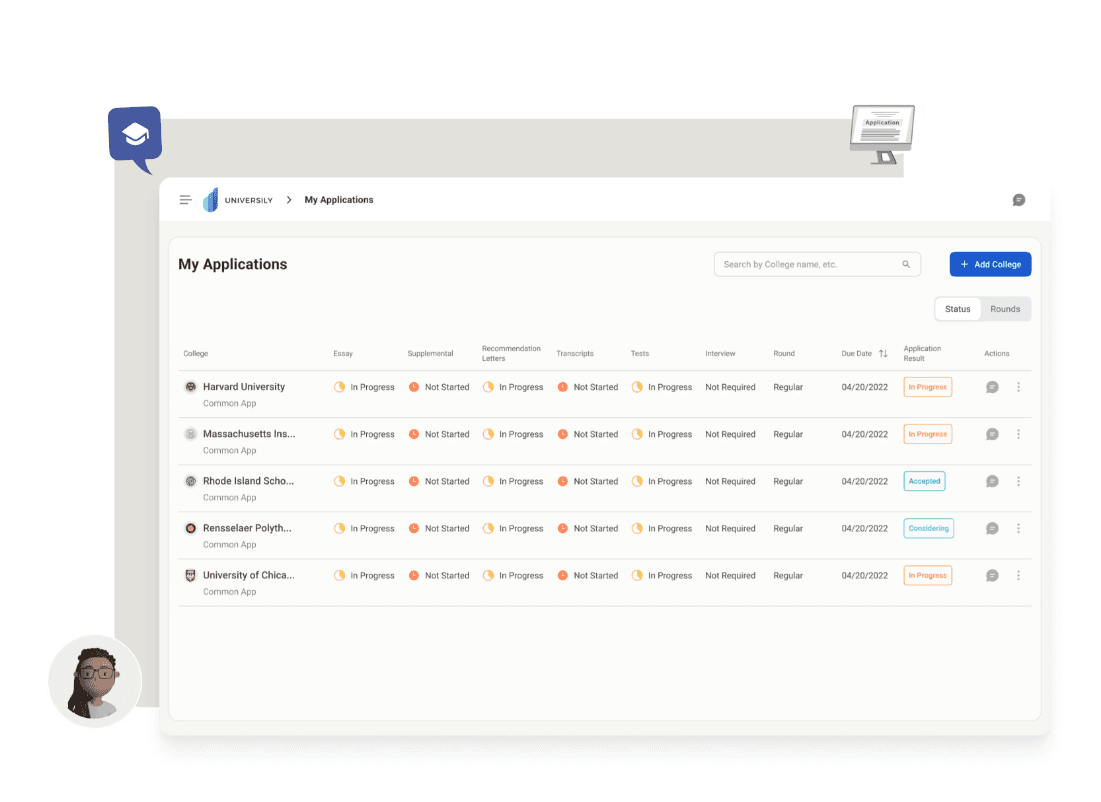
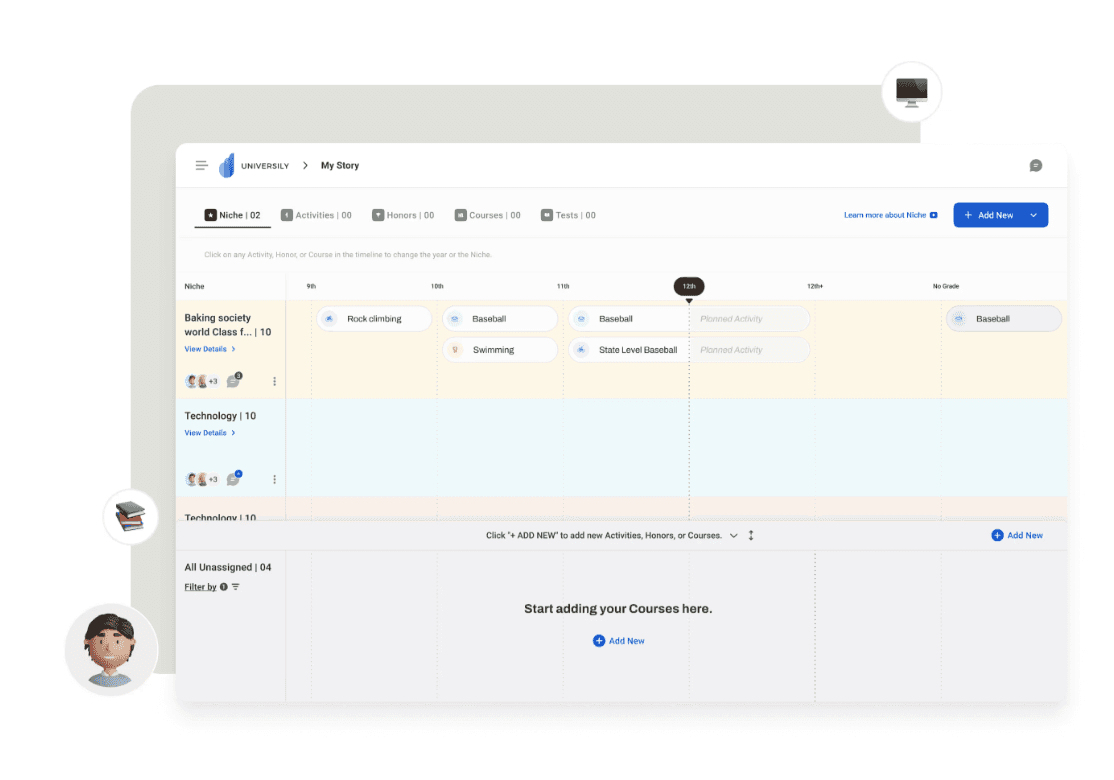
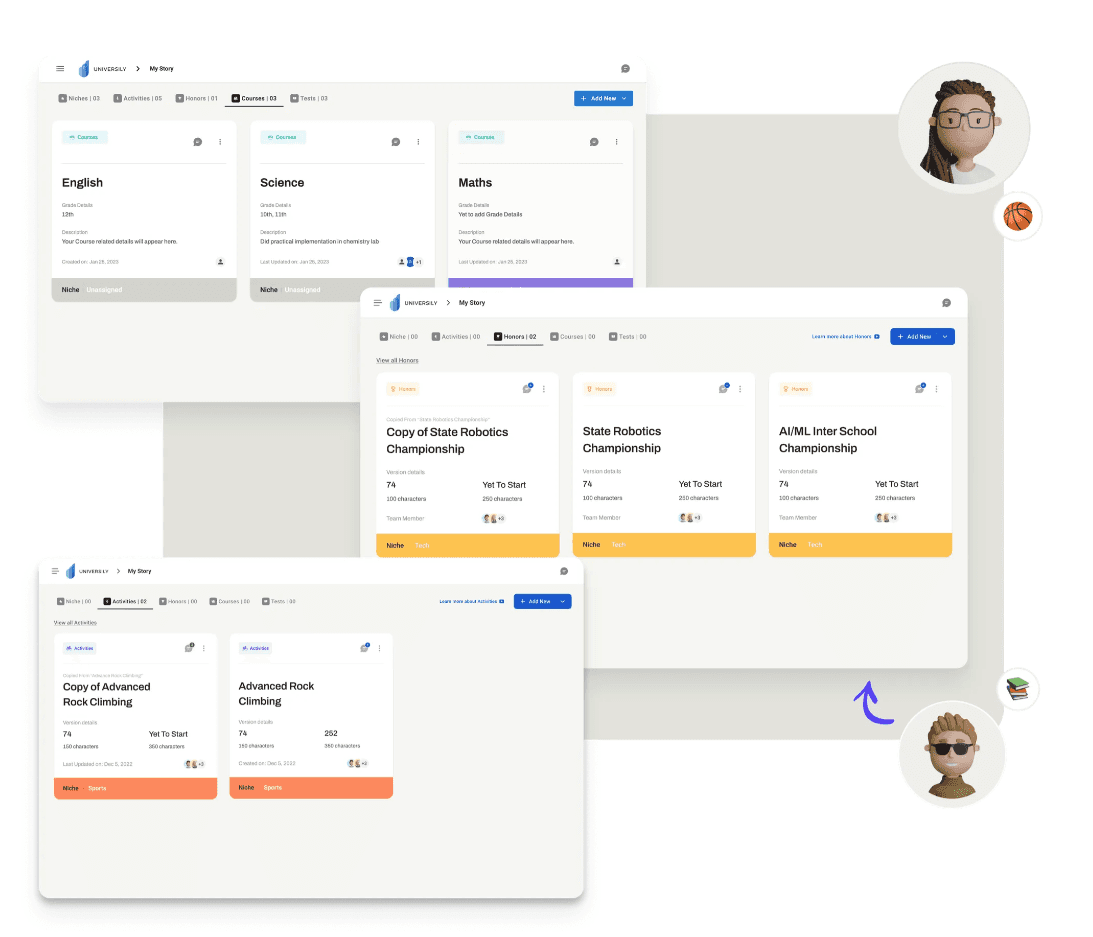
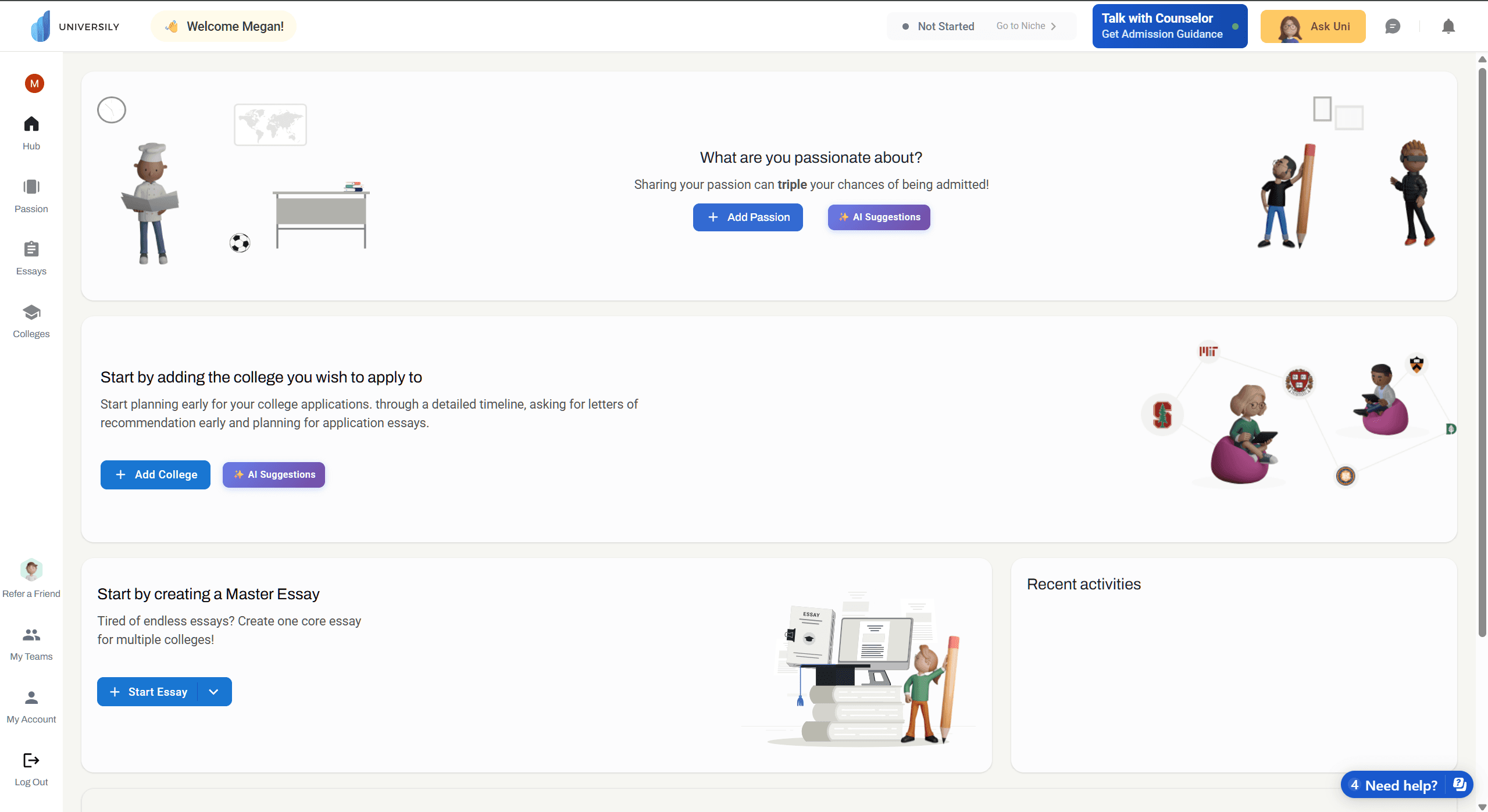
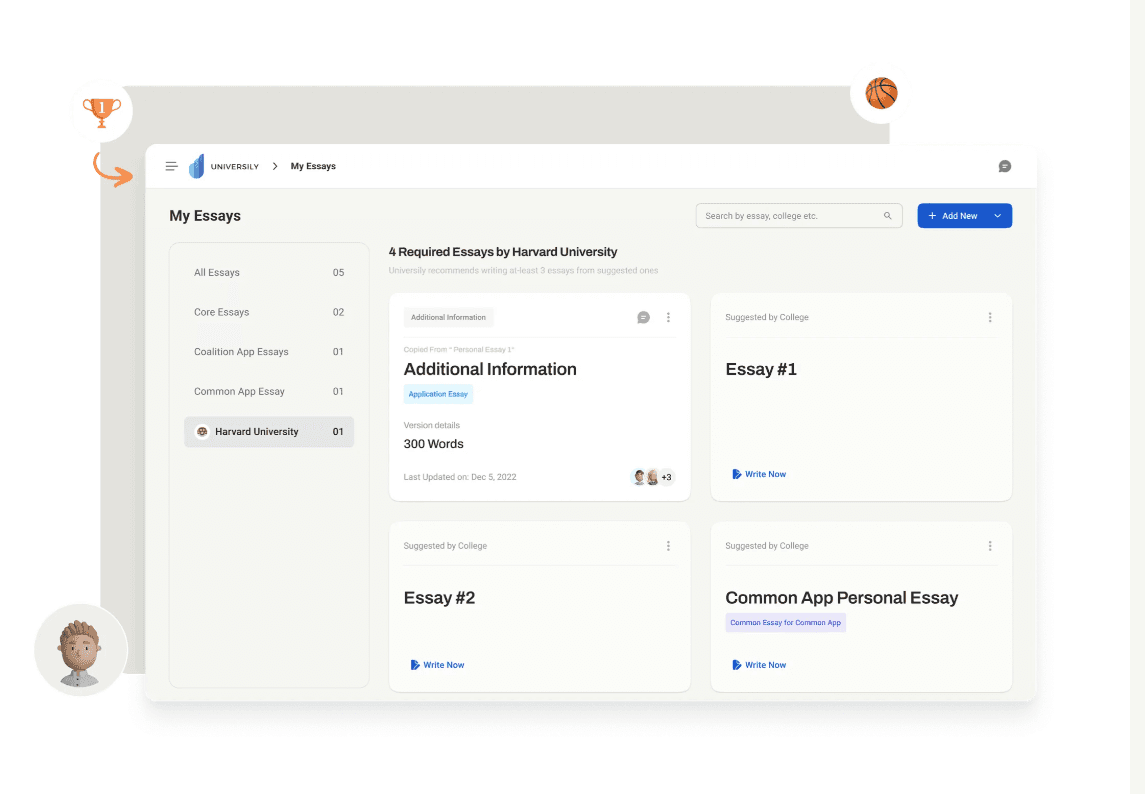
Universily
Universily
An online platform designed to streamline the college admissions process, making higher education accessible and organized.
An online platform designed to streamline the college admissions process, making higher education accessible and organized.
Device: Website
Device: Website
Target User: Seniors & Freshmen
Target User: Seniors & Freshmen
Main Features
Main Features
My Story & Niche
My Story & Niche
Guides users to input scores/experiences and identifies unique interests to set them apart.
Guides users to input scores/experiences and identifies unique interests to set them apart.
AI Brainstorming
AI Brainstorming
Helps users brainstorm topics relevant to prompts, creates outlines, and reviews essays.
Helps users brainstorm topics relevant to prompts, creates outlines, and reviews essays.
Application Dashboard
Application Dashboard
Keeps critical information for target colleges in one centralized place.
Keeps critical information for target colleges in one centralized place.
Pros
Pros
Structured Guidance: Seamless flow from experience collection to essay planning.
Structured Guidance: Seamless flow from experience collection to essay planning.
Youth-Friendly UI: Relaxed style with cartoon characters, vibrant colors, and rounded corners.
Youth-Friendly UI: Relaxed style with cartoon characters, vibrant colors, and rounded corners.
Cons
Cons
Trust & Credibility: Limited public reviews and insufficient authentic success stories.
Trust & Credibility: Limited public reviews and insufficient authentic success stories.
Data Availability: Needs industry validation (e.g., reviews from educators) to enhance reliability.
Data Availability: Needs industry validation (e.g., reviews from educators) to enhance reliability.

Career.io
Career.io
A career development platform offering AI-powered tools and coaching to help job seekers manage their entire journey.
A career development platform offering AI-powered tools and coaching to help job seekers manage their entire journey.
️ Device: Website
️ Device: Website
Target User: Job Seekers
Target User: Job Seekers
Main Features
Main Features
AI Resume Builder
AI Resume Builder
Uses tested professional templates and AI suggestions to build resumes and cover letters.
Uses tested professional templates and AI suggestions to build resumes and cover letters.
Job Matching & Tracker
Job Matching & Tracker
Combines personalized job recommendations with a robust tracking tool.
Combines personalized job recommendations with a robust tracking tool.
Interview Prep & Coaching
Interview Prep & Coaching
Generates interview questions based on job descriptions and offers expert coaching.
Generates interview questions based on job descriptions and offers expert coaching.
Pros
Pros
Formal & Intuitive UI: Clean interface with simple navigation and a white palette for a business-oriented feel.
Formal & Intuitive UI: Clean interface with simple navigation and a white palette for a business-oriented feel.
Comprehensive & Efficient: Covers everything from AI resume edits to job search assistance.
Comprehensive & Efficient: Covers everything from AI resume edits to job search assistance.
Cons
Cons
Templated Output: AI modifications can feel too formulaic and lack personalization.
Templated Output: AI modifications can feel too formulaic and lack personalization.
Cost Barrier: Most key features require payment, making it unsuitable for tight budgets.
Cost Barrier: Most key features require payment, making it unsuitable for tight budgets.
Generalist Focus: May not meet the needs of users with highly specialized or advanced skills.
Generalist Focus: May not meet the needs of users with highly specialized or advanced skills.
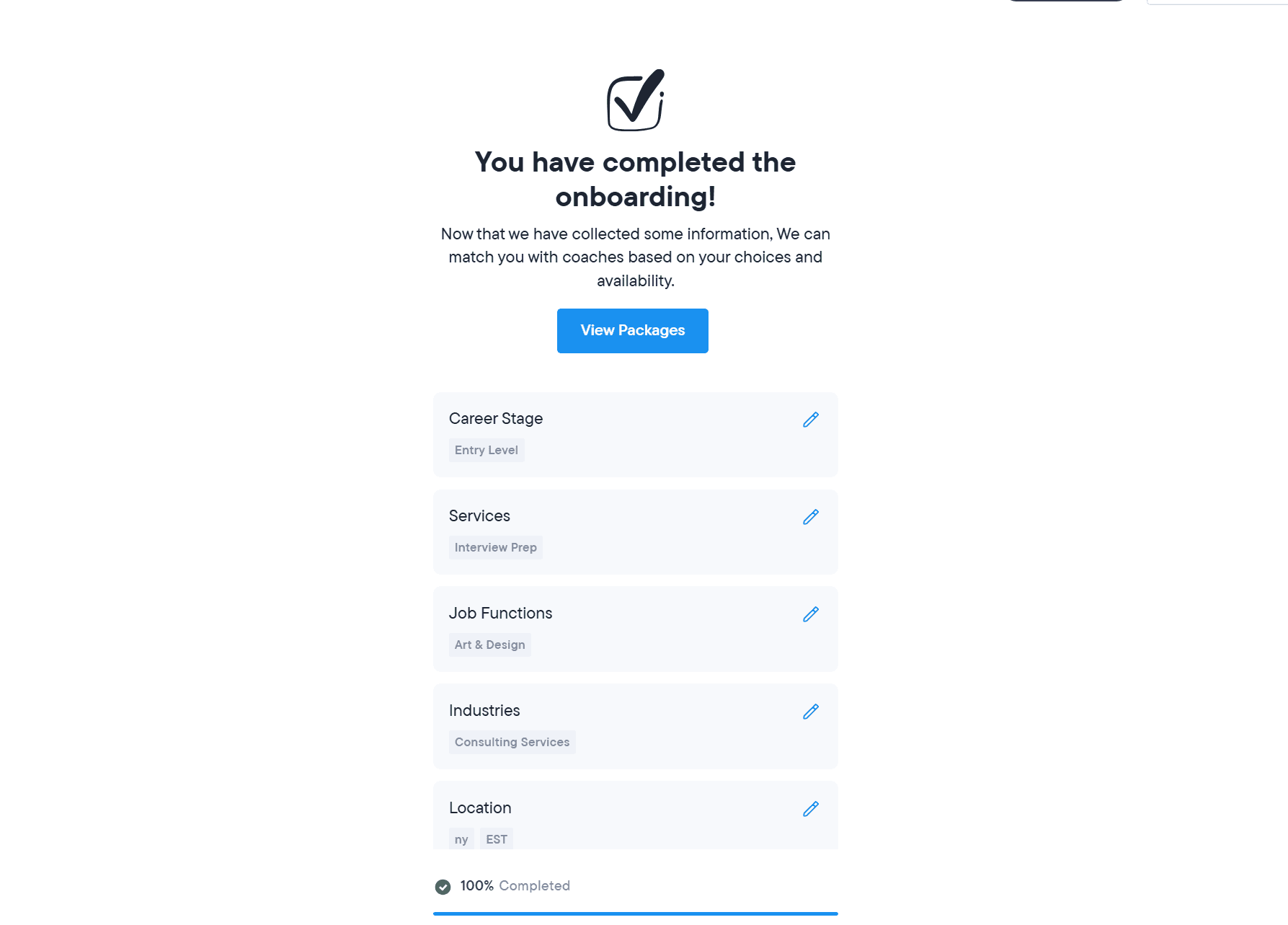
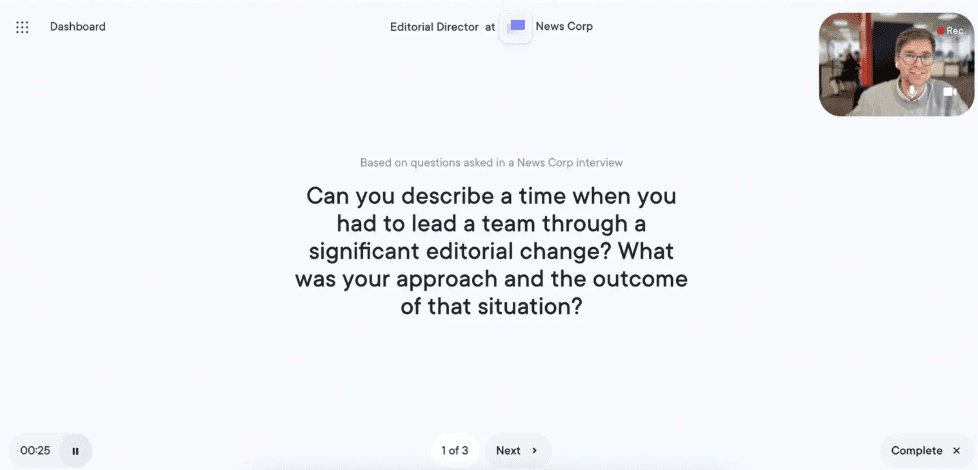
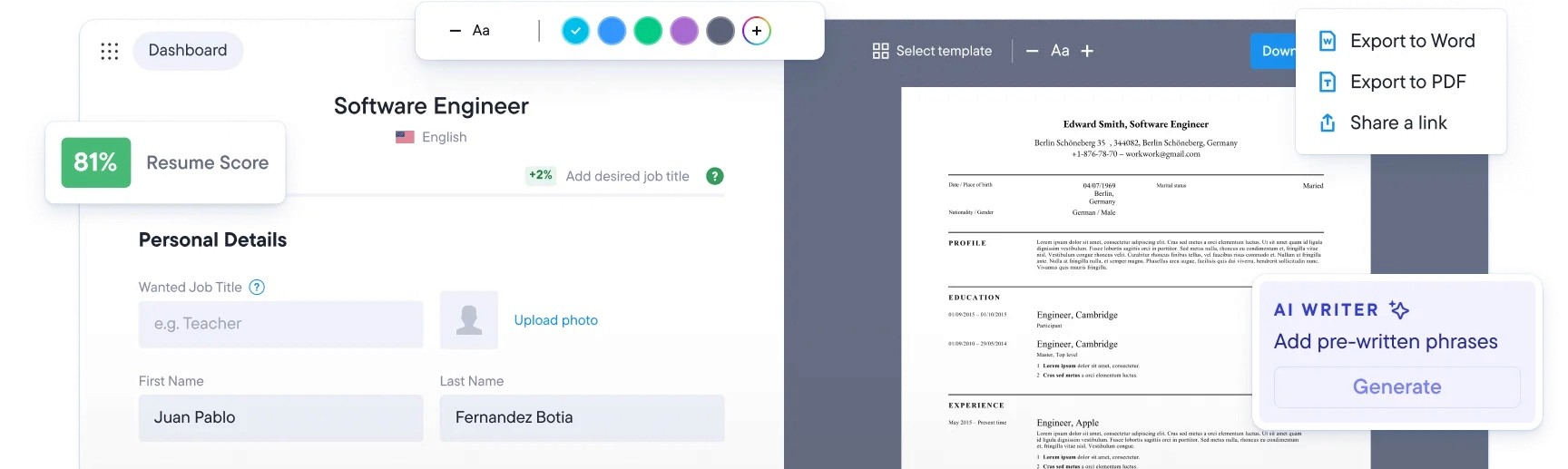
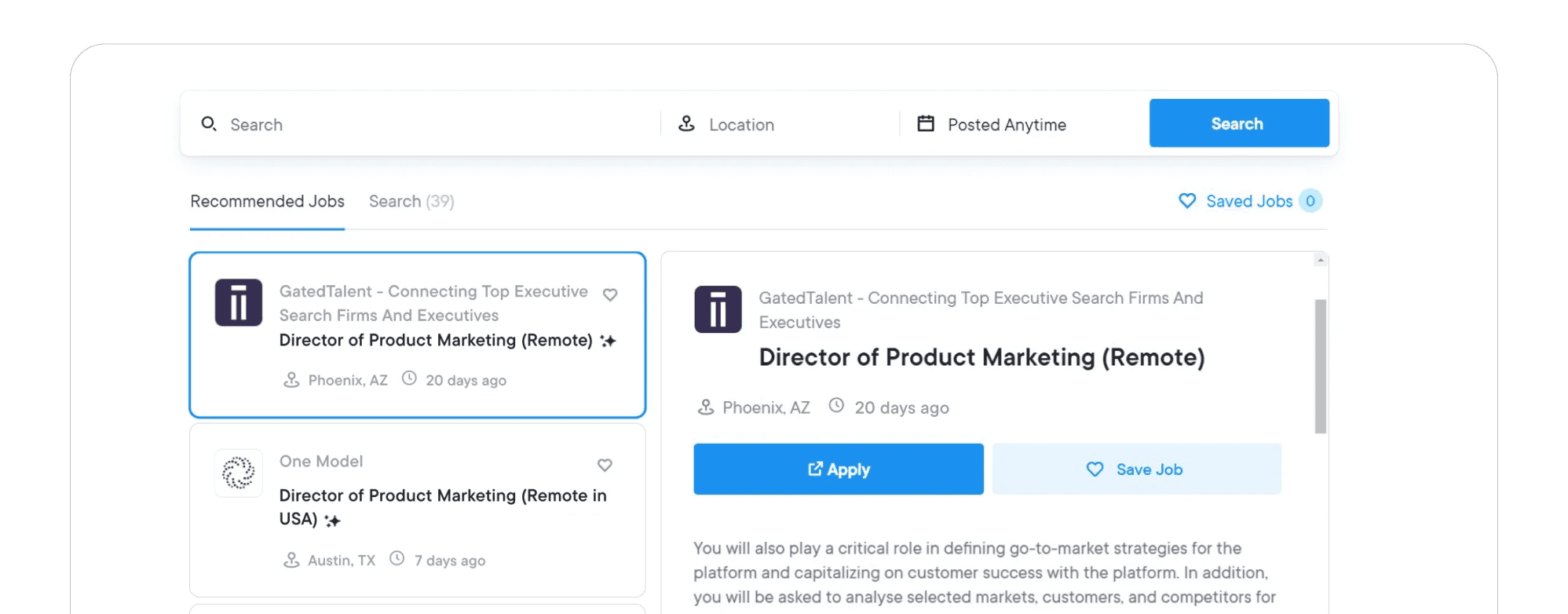
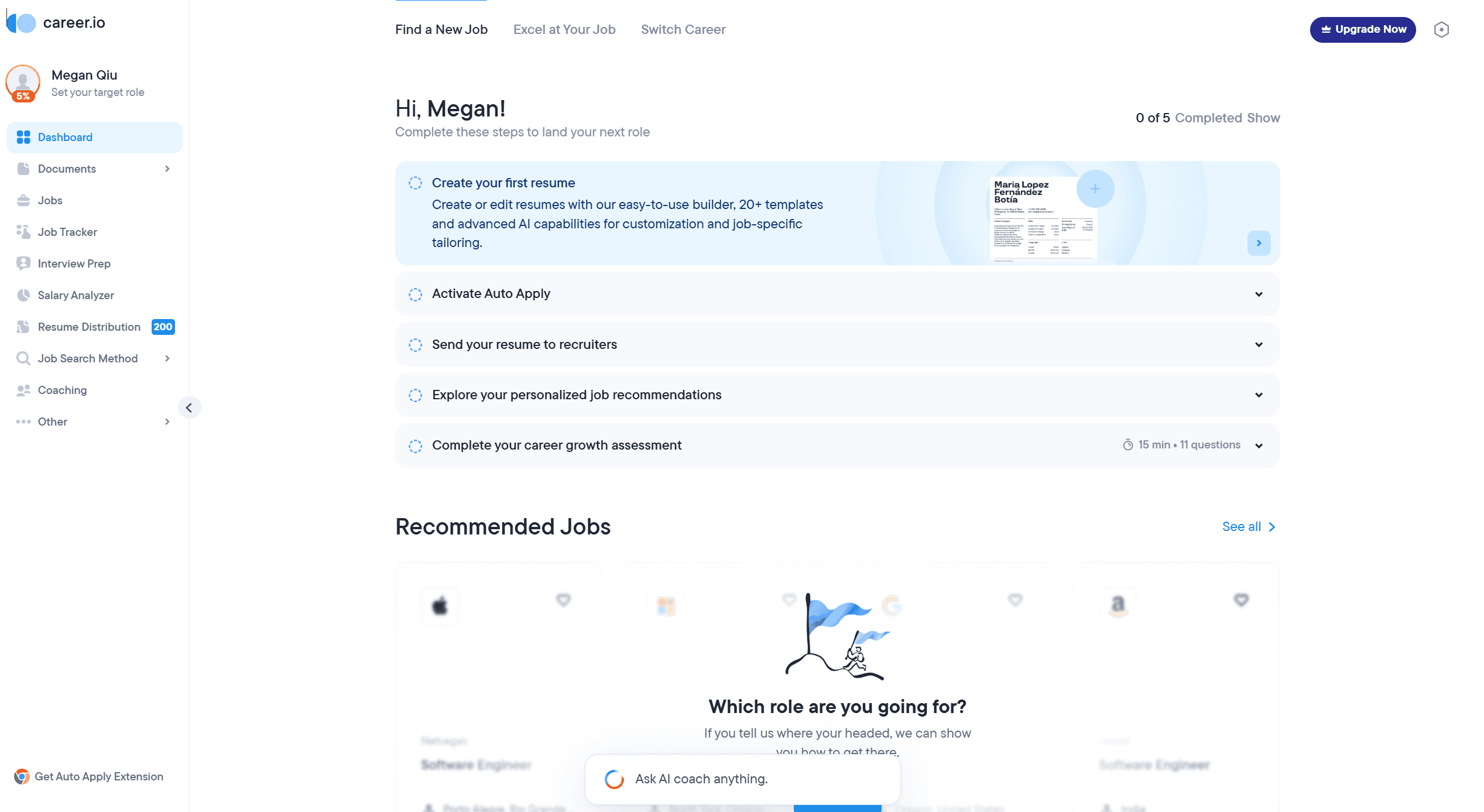
Universily is great for organizing applications, and Career.io is powerful for polishing resumes, but they both have a blind spot: they assume you already know your destination. One focuses on getting you into college, the other on getting you a job, which is not desire for the 'undecided' student who is still figuring it all out.
Universily is great for organizing applications, and Career.io is powerful for polishing resumes, but they both have a blind spot: they assume you already know your destination. One focuses on getting you into college, the other on getting you a job, which is not desire for the 'undecided' student who is still figuring it all out.
Conclusion
Conclusion
03. Persona & User Journey Map
03. Persona & User Journey Map
Introduction
Bob balances the excitement of future possibilities with the uncertainty of where to begin. He isn’t just looking for a job list, he wants a path that feels right.
Pain Points
Overwhelmed by the large amount of information.
Info Overload
Concerning about robotic AI vs. human help
Trust Issues
Terrfied of making the wrong career choice.
Fear of Failure
User Need
To translate his abstract strengths into real world opportunities with clarity and confidence. Finding a path that is viable and authentic
Bob
Bob
Age: 20 | Student | Location:NYC
Age: 20 | Student | Location:NYC
“There are so many options out there… I just want to find a path that really fits me.”
“There are so many options out there… I just want to find a path that really fits me.”

Introduction
Bob balances the excitement of future possibilities with the uncertainty of where to begin. He isn’t just looking for a job list, he wants a path that feels right.
Pain Points
Info Overload
Overwhelmed by the large amount of information.
Trust Issues
Concerning about robotic AI vs. human help
Fear of Failure
Terrfied of making the wrong career choice.
User Need
To translate his abstract strengths into real world opportunities with clarity and confidence. Finding a path that is viable and authentic
Searching and Exploration
Searching and Exploration
Searching and Exploration
Browsing and discovering
Browsing and discovering
Browsing and discovering
Test and evaluation
Test and evaluation
Test and evaluation
Membership and Enhanced Features
Membership and Enhanced Features
Membership and Enhanced Features
Outcome
Outcome
Outcome
Trying to find efficient, reliable, and suitable career services that can offer help.
Trying to find efficient, reliable, and suitable career services that can offer help.
Trying to find efficient, reliable, and suitable career services that can offer help.
Identify what it can provide and help.
Identify what it can provide and help.
Identify what it can provide and help.
Use specific features to see if it meets my needs and is trustworthy.
Use specific features to see if it meets my needs and is trustworthy.
Use specific features to see if it meets my needs and is trustworthy.
Expect to be able to use more functions after topping up the membership
Expect to be able to use more functions after topping up the membership
Expect to be able to use more functions after topping up the membership
Gain sufficient confidence to face a real job search.
Gain sufficient confidence to face a real job search.
Gain sufficient confidence to face a real job search.
Browse reviews and compare features across different platforms.
Browse reviews and compare features across different platforms.
Browse reviews and compare features across different platforms.

It's often difficult to choose among similar options, and there's no quick way to determine which platform truly meets your needs.
It's often difficult to choose among similar options, and there's no quick way to determine which platform truly meets your needs.
It's often difficult to choose among similar options, and there's no quick way to determine which platform truly meets your needs.
Uncertain if he can truly trust the career service.
Uncertain if he can truly trust the career service.
Uncertain if he can truly trust the career service.
Too many features — worried it'll be hard to use.
Too many features — worried it'll be hard to use.
Too many features — worried it'll be hard to use.
I’m concerning that it's too standardized and lacks innovation.
I’m concerning that it's too standardized and lacks innovation.
I’m concerning that it's too standardized and lacks innovation.
Having voice chat with AI chatbot is not as natural and smooth as a real person
Having voice chat with AI chatbot is not as natural and smooth as a real person
Having voice chat with AI chatbot is not as natural and smooth as a real person
He concerns of the private issues
He concerns of the private issues
He concerns of the private issues
Some AI processing is not as natural and smooth as a real person's.
Some AI processing is not as natural and smooth as a real person's.
Some AI processing is not as natural and smooth as a real person's.
Clearly state the platform's target audience to help users assess whether it can meet their needs, and use comparison charts to highlight its advantages.
Clearly state the platform's target audience to help users assess whether it can meet their needs, and use comparison charts to highlight its advantages.
Clearly state the platform's target audience to help users assess whether it can meet their needs, and use comparison charts to highlight its advantages.
A simple, clean UI and homepage.
A simple, clean UI and homepage.
A simple, clean UI and homepage.
Offer clear categorizations and filters or guides for users to locate the right place.
Offer clear categorizations and filters or guides for users to locate the right place.
Offer clear categorizations and filters or guides for users to locate the right place.
Implement trust-building elements—such as user reviews, trial periods, and success stories/case studies.
Implement trust-building elements—such as user reviews, trial periods, and success stories/case studies.
Implement trust-building elements—such as user reviews, trial periods, and success stories/case studies.
Guide them to brainstorm and provide effective suggestions.
Guide them to brainstorm and provide effective suggestions.
Guide them to brainstorm and provide effective suggestions.
Incentivize users to recharge by offering attractive features and benefits.
Incentivize users to recharge by offering attractive features and benefits.
Incentivize users to recharge by offering attractive features and benefits.
Provide Free trial
Provide Free trial
Provide Free trial
Provide real advisors
Provide real advisors
Provide real advisors
Make the AI's tone more human-like.
Make the AI's tone more human-like.
Make the AI's tone more human-like.
"Everyone says to 'follow your passion,' but what even is mine? I need to find something that can actually help me figure this out."
"Everyone says to 'follow your passion,' but what even is mine? I need to find something that can actually help me figure this out."
"Everyone says to 'follow your passion,' but what even is mine? I need to find something that can actually help me figure this out."
🤔
🤔
🤔
"Whoa, this site breaks it down into skills and careers I hadn't even considered. Maybe there's a path here that actually fits me."
"Whoa, this site breaks it down into skills and careers I hadn't even considered. Maybe there's a path here that actually fits me."
"Whoa, this site breaks it down into skills and careers I hadn't even considered. Maybe there's a path here that actually fits me."
🤩
🤩
🤩
"Okay, the results kinda make sense... Let me see if it can help me on jobs."
"Okay, the results kinda make sense... Let me see if it can help me on jobs."
"Okay, the results kinda make sense... Let me see if it can help me on jobs."
😲
😲
😲
"It wants me to pay to see the full report... But is this really better than just asking my career counselor or networking on my own?"
"It wants me to pay to see the full report... But is this really better than just asking my career counselor or networking on my own?"
"It wants me to pay to see the full report... But is this really better than just asking my career counselor or networking on my own?"
"I was worried this would just be another generic tool, but it provides tools I need for finding jobs. This is the concrete next step I needed."
"I was worried this would just be another generic tool, but it provides tools I need for finding jobs. This is the concrete next step I needed."
"I was worried this would just be another generic tool, but it provides tools I need for finding jobs. This is the concrete next step I needed."
😵
😵
😵
🥺
🥺
🥺
04. User Flow
04. User Flow
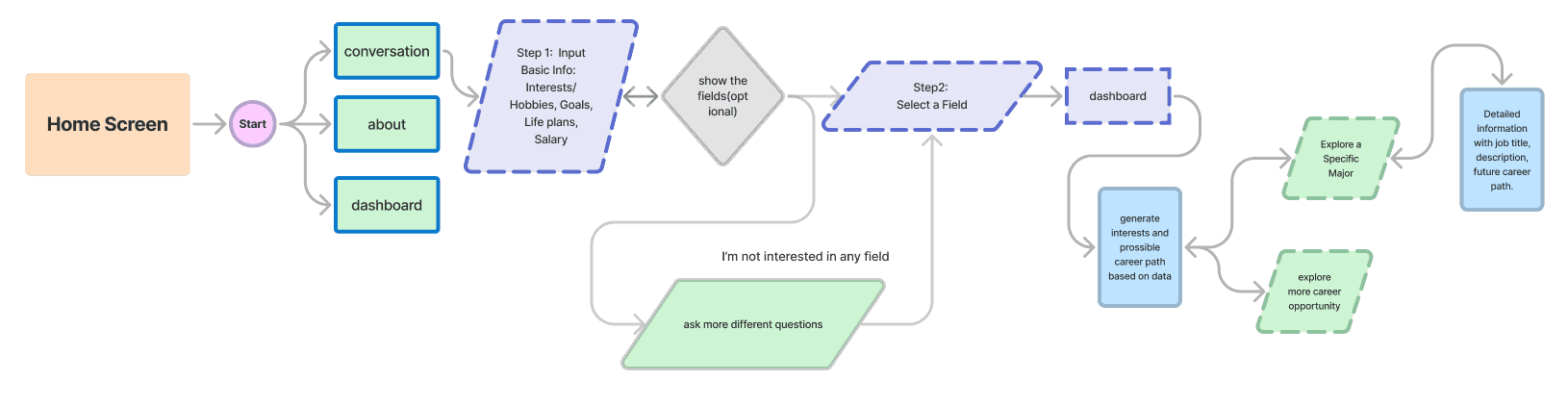
Based on the insights gained from initial user research, competitive analysis, persona and user journey map, the user flow for the AI Mentorhub gradually form.
Based on the insights gained from initial user research, competitive analysis, persona and user journey map, the user flow for the AI Mentorhub gradually form.
05. Design & Prototyping
05. Design & Prototyping
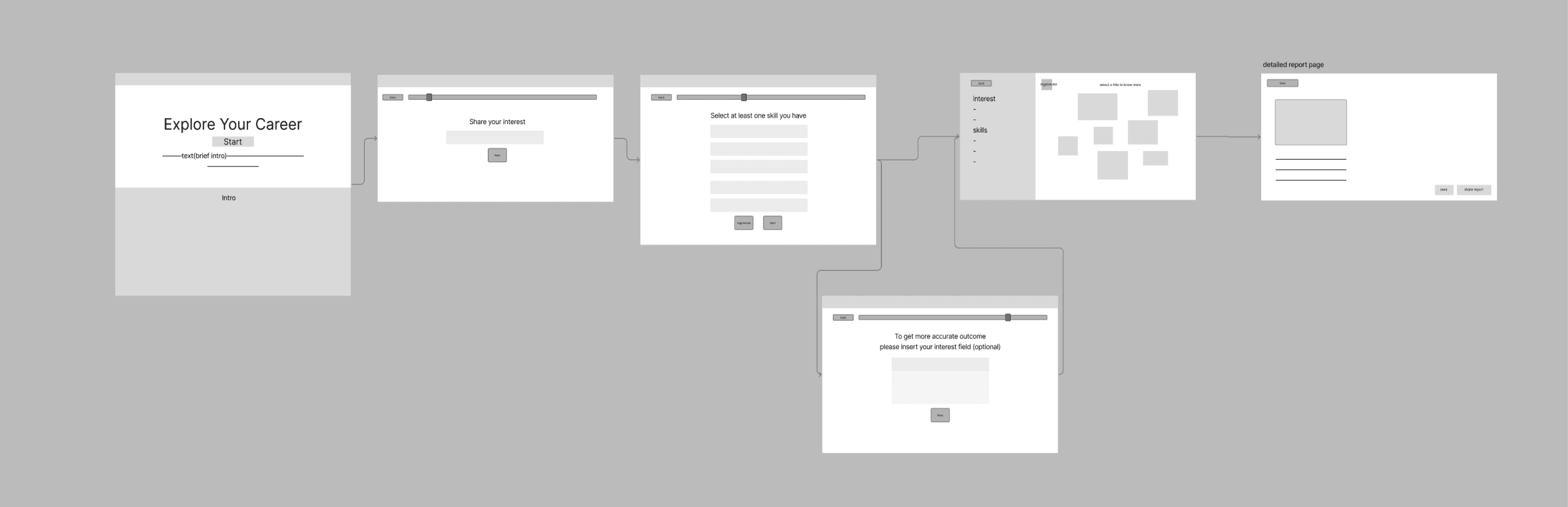
Low-fi
Low-fi
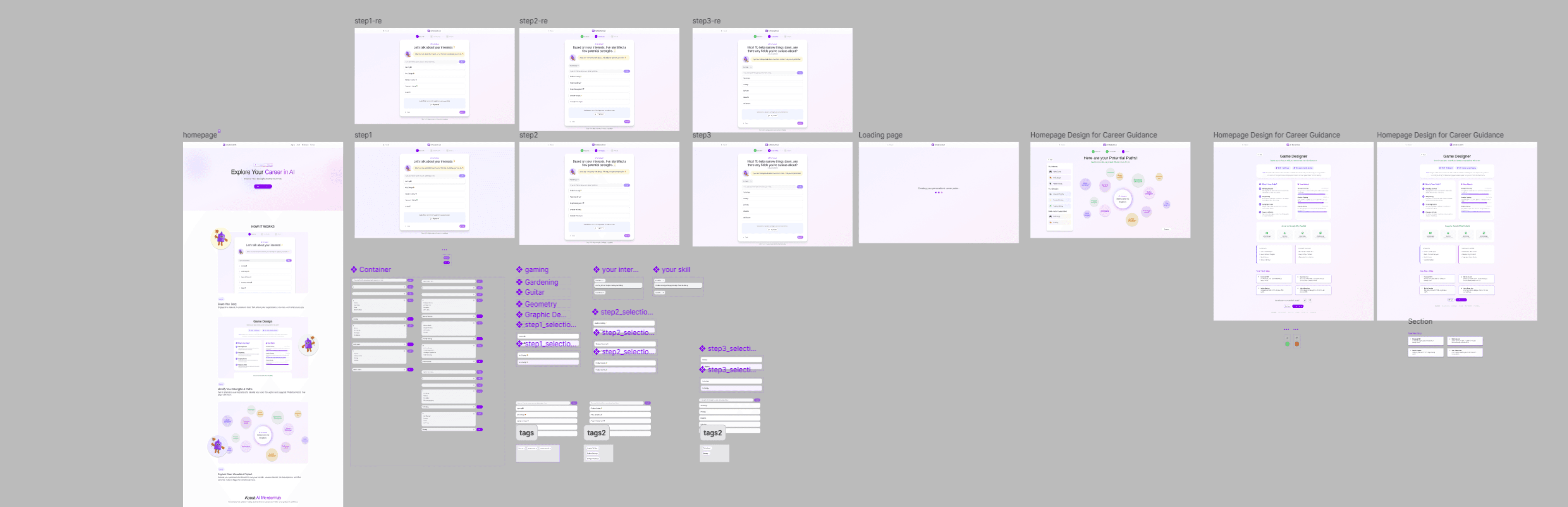
High-fi
High-fi
06. Usability Test
06. Usability Test
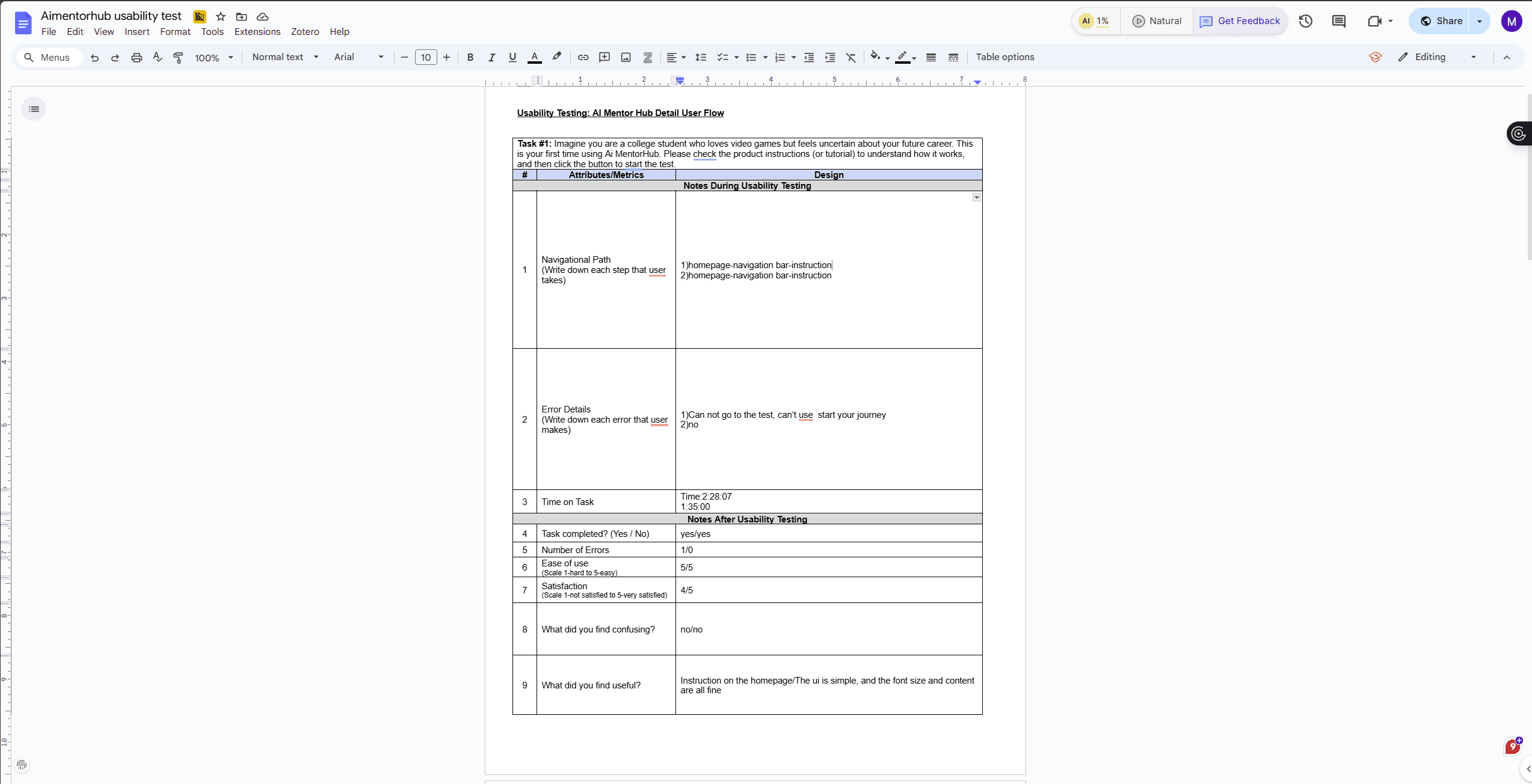
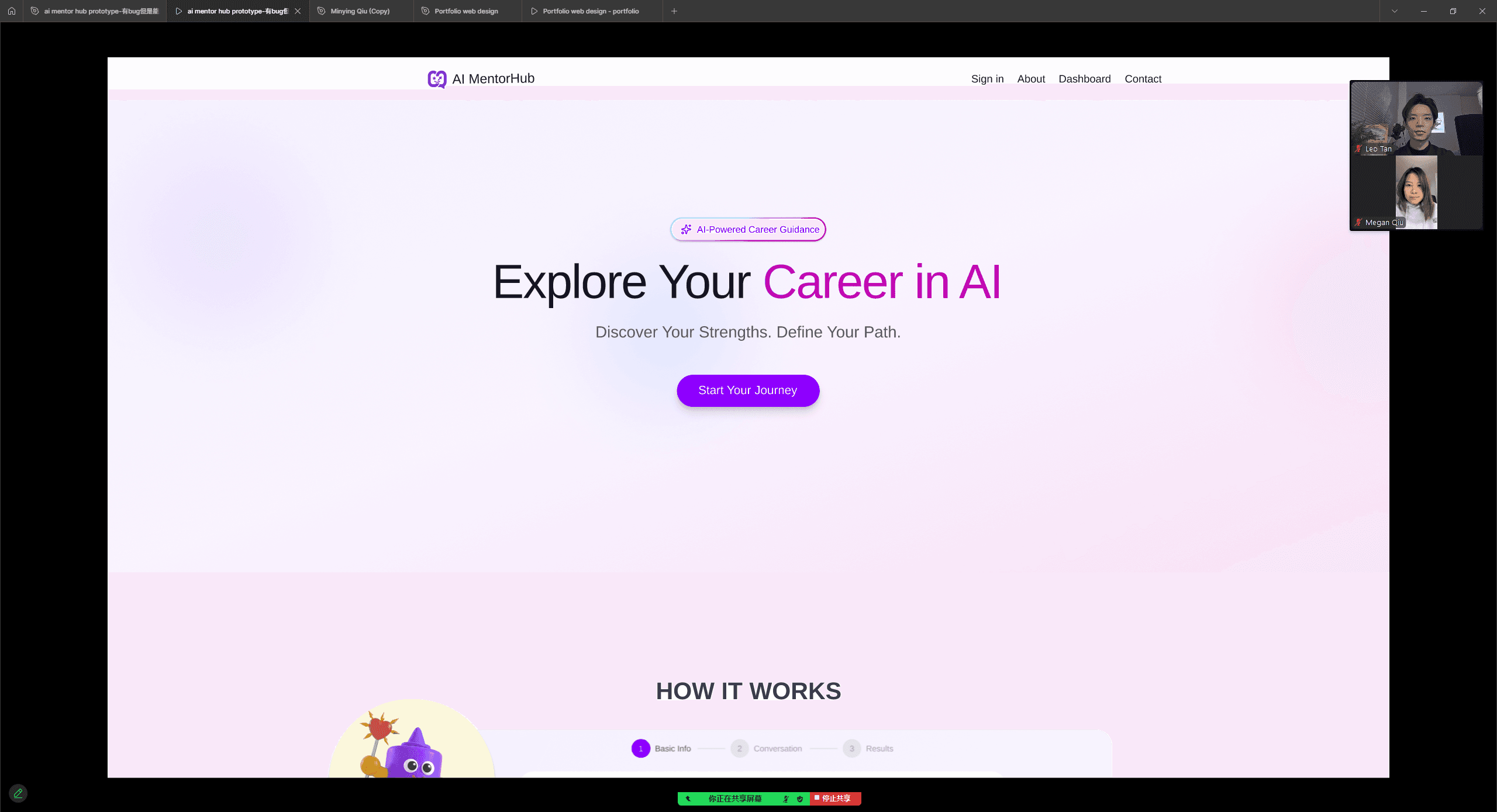
In order to improve the UI/UX and to ensure the new design effectively meets student needs, I conducted usability testing to assess the AI MentorHub flow. We observed participants as they navigated from the homepage to the career dashboard, evaluating how well the interface supports profile creation and result interpretation.
In order to improve the UI/UX and to ensure the new design effectively meets student needs, I conducted usability testing to assess the AI MentorHub flow. We observed participants as they navigated from the homepage to the career dashboard, evaluating how well the interface supports profile creation and result interpretation.
Test Result
Test Result
Task 01: Onboarding
Navigation & Instructions
100% Success
"Imagine you are a college student who loves video games but feels uncertain about your future career. This is your first time using Ai MentorHub. Please check the product instructions to understand how it works, and then click the button to start the test."
Time
~2m 00s
Satisfaction
3.75 /5
Task 02: Test
Complex Inputs
90% Success
“Once you start the test, input your interests in the first step. Continue doing the test. You input your skills. Then you move to the field page, you input “technology”, and you go to the result page.”
Time
~2m 44s
Satisfaction
3.6 /5
Task 03: Dashboard
Refinement & Explore
95% Success
"Once you see the dashboard, you change your mind and want to add “drawing” to the field page. After doing these, you find and explore the details for the 'Game Designer' role."
Time
~2m 30s
Satisfaction
4.25 /5
Task 01: Onboarding
Navigation & Instructions
100% Success
"Imagine you are a college student who loves video games but feels uncertain about your future career. This is your first time using Ai MentorHub. Please check the product instructions to understand how it works, and then click the button to start the test."
"Imagine you are a college student who loves video games but feels uncertain about your future career. This is your first time using Ai MentorHub. Please check the product instructions to understand how it works, and then click the button to start the test."
Time
~2m 00s
Satisfaction
3.75 /5
Task 02: Test
Complex Inputs
90% Success
“Once you start the test, input your interests in the first step. Continue doing the test. You input your skills. Then you move to the field page, you input “technology”, and you go to the result page.”
“Once you start the test, input your interests in the first step. Continue doing the test. You input your skills. Then you move to the field page, you input “technology”, and you go to the result page.”
Time
~2m 44s
Satisfaction
3.6 /5
Task 03: Dashboard
Refinement & Explore
95% Success
"Once you see the dashboard, you change your mind and want to add “drawing” to the field page. After doing these, you find and explore the details for the 'Game Designer' role."
"Once you see the dashboard, you change your mind and want to add “drawing” to the field page. After doing these, you find and explore the details for the 'Game Designer' role."
Time
~2m 30s
Satisfaction
4.25 /5
Usability Test & Heuristic Evaluation Insights
Usability Test & Heuristic Evaluation Insights
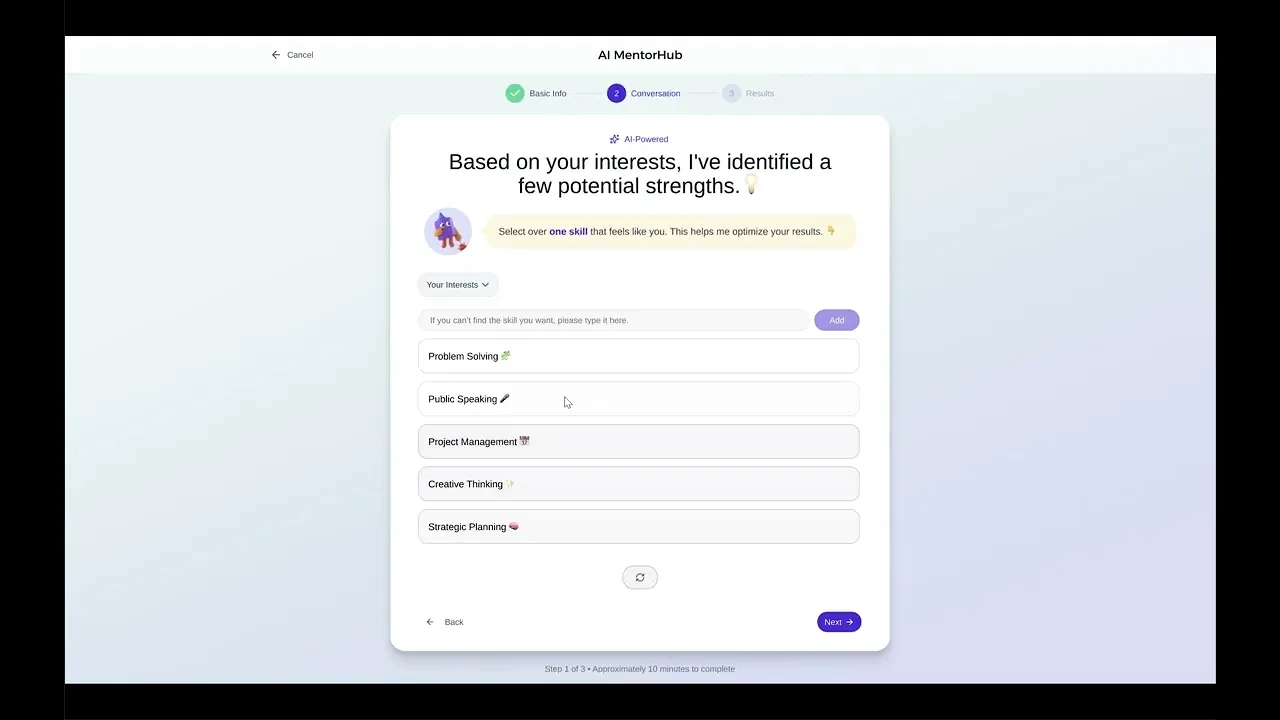
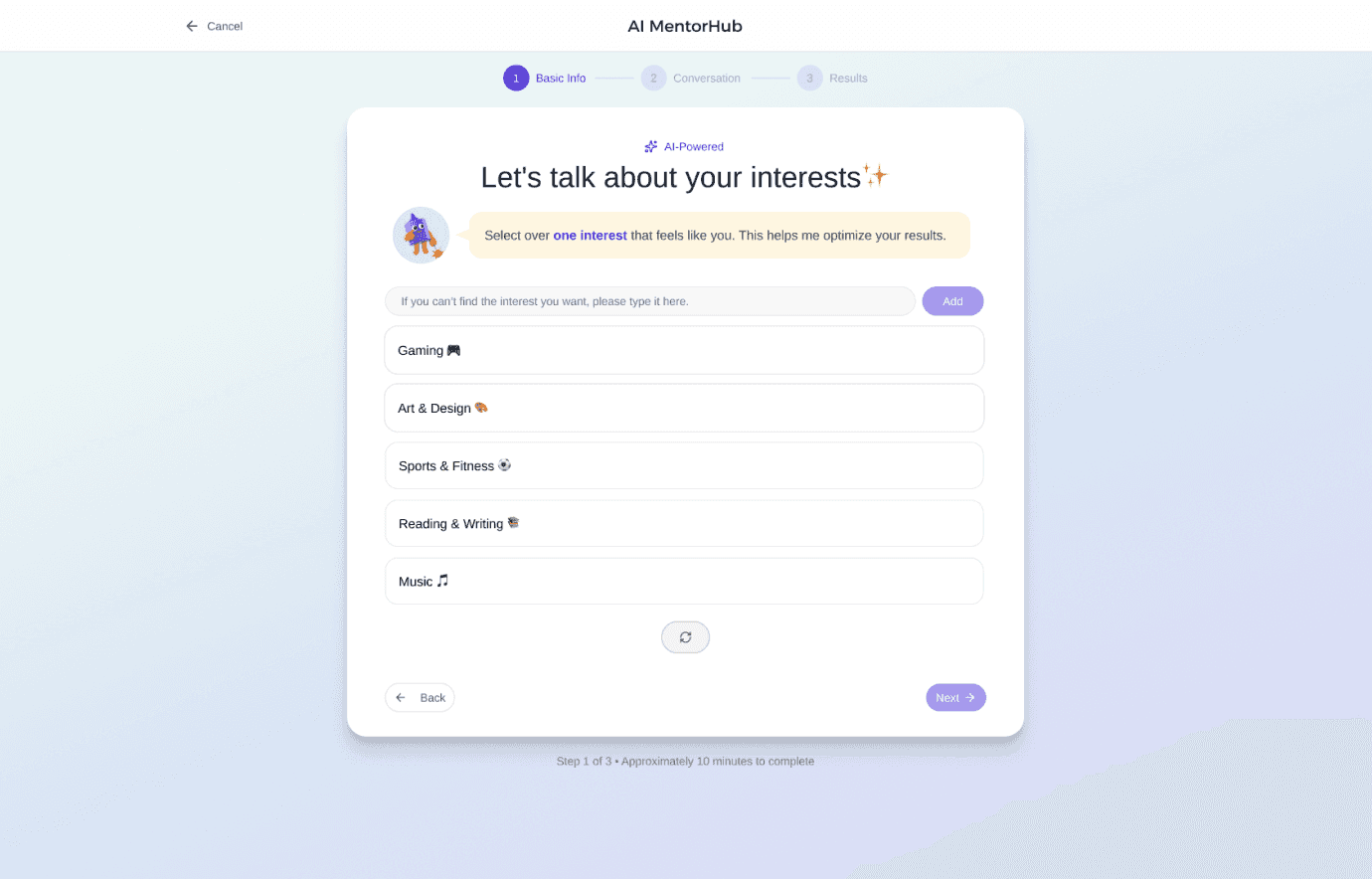
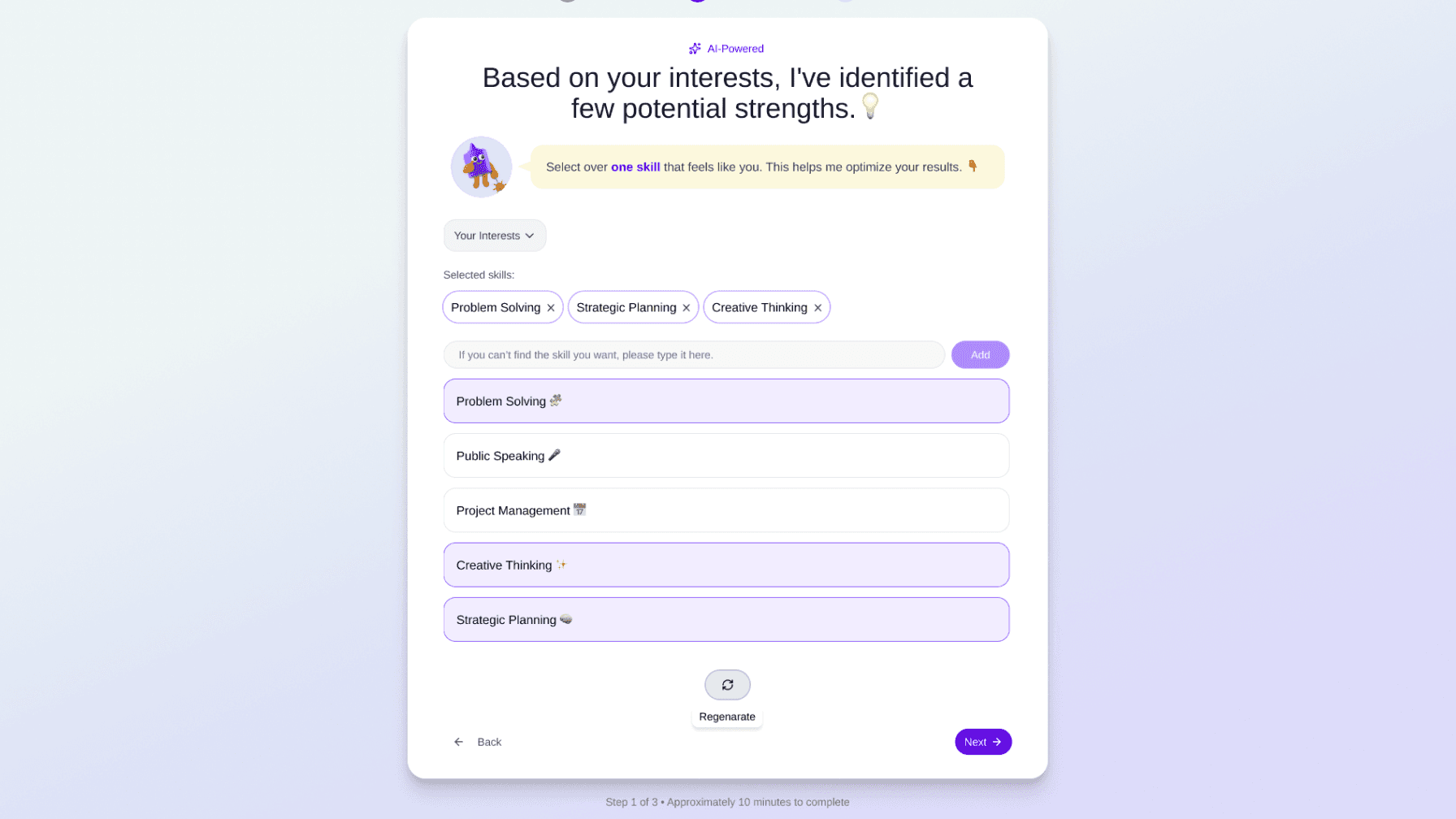
Problem: Users didn't realize they could create custom tags if they didn't see their interest in the list.
Solution: Redesigned the search input to be explicit: "If you can’t find the interest you want, please type it here."
Problem: Users think the regenerate block and the design for selection of choices seem too heavy.
Solution: Replaced the regenerate block with one button. Removed the checkboxes entirely. Now, the entire tag acts as a toggle button for a cleaner, more intuitive selection experience.
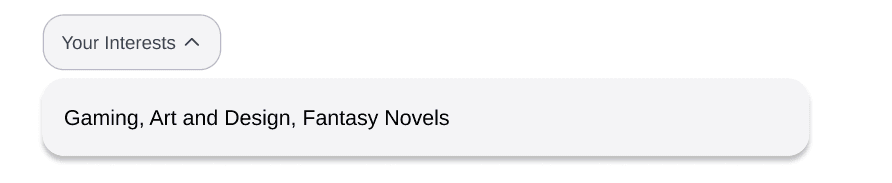
Problem: Users think it is annoy that every time they want to know what they choose before, they need to click “back”
Solution: Add a drop down menu with the selections user chose before
After
Before
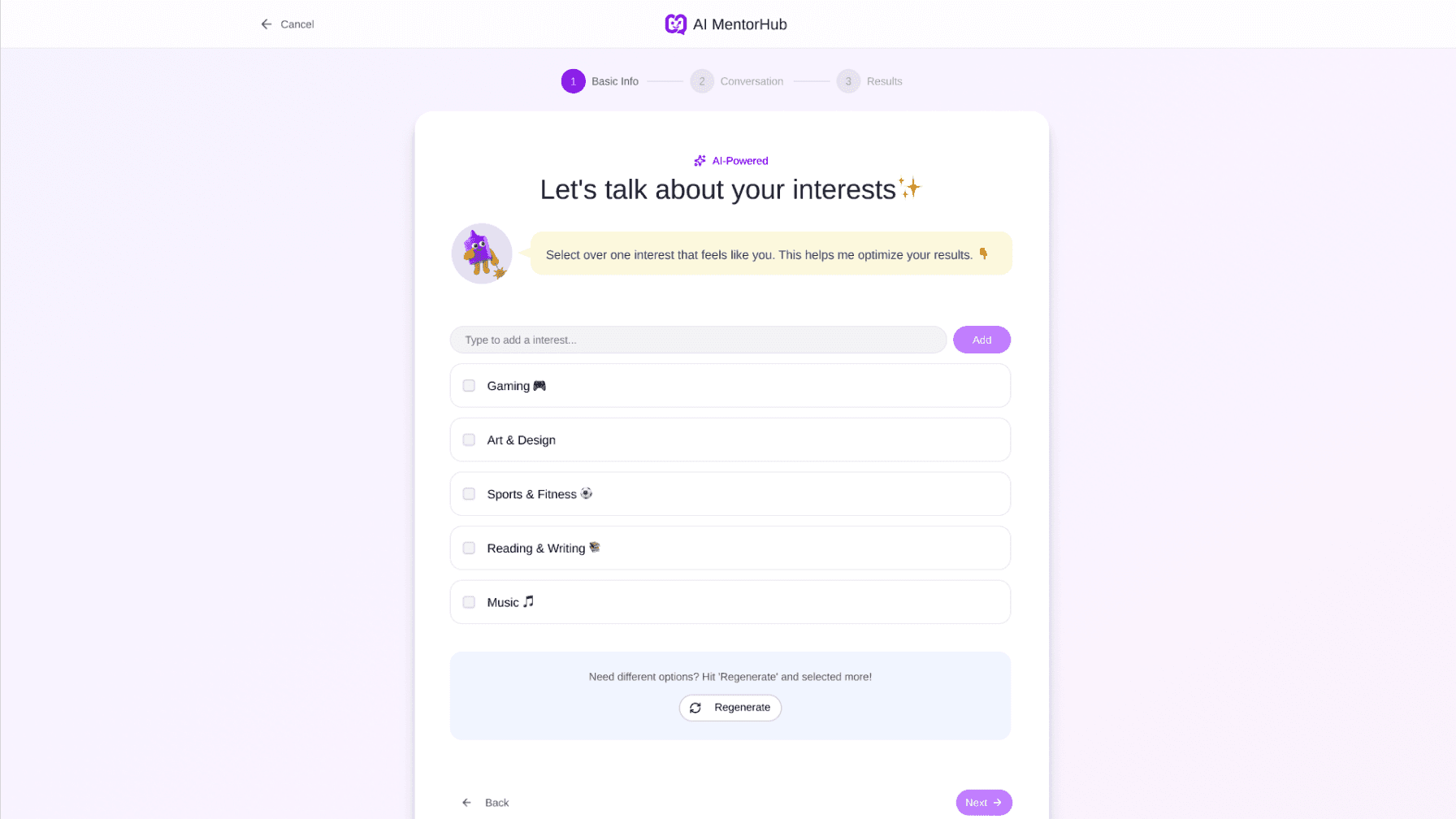
Replace the current block with a single button. Add a hover to label the action as 'Regenerate'
Redesigned the search input
Add a drop down menu to remind user what they selected before
Removed the checkboxes entirely.
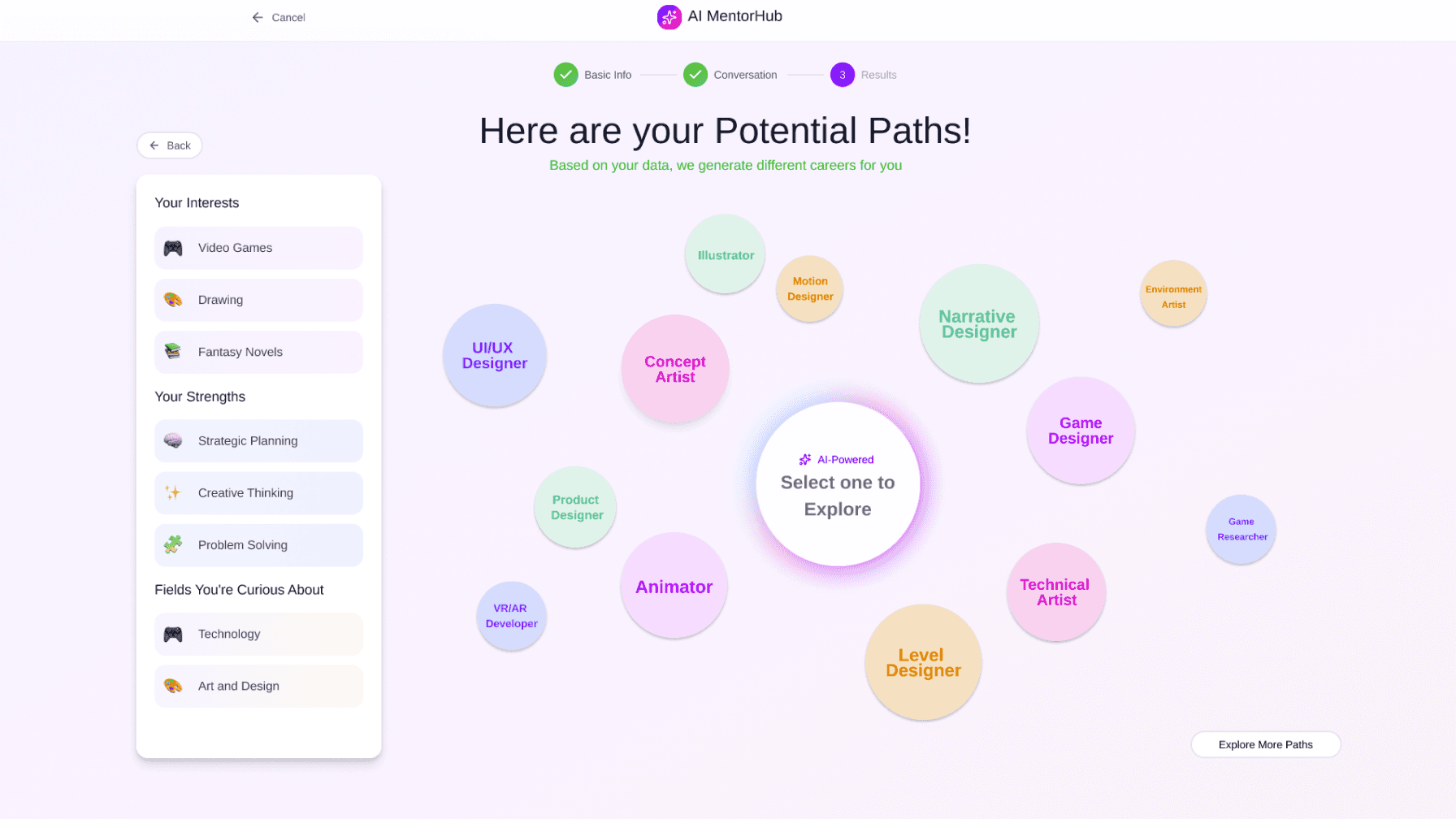
Problem: Start Journey" missed & "Explore more path" label confused users.
Solution: Enhanced button prominence and renamed reset action to "Try Again".
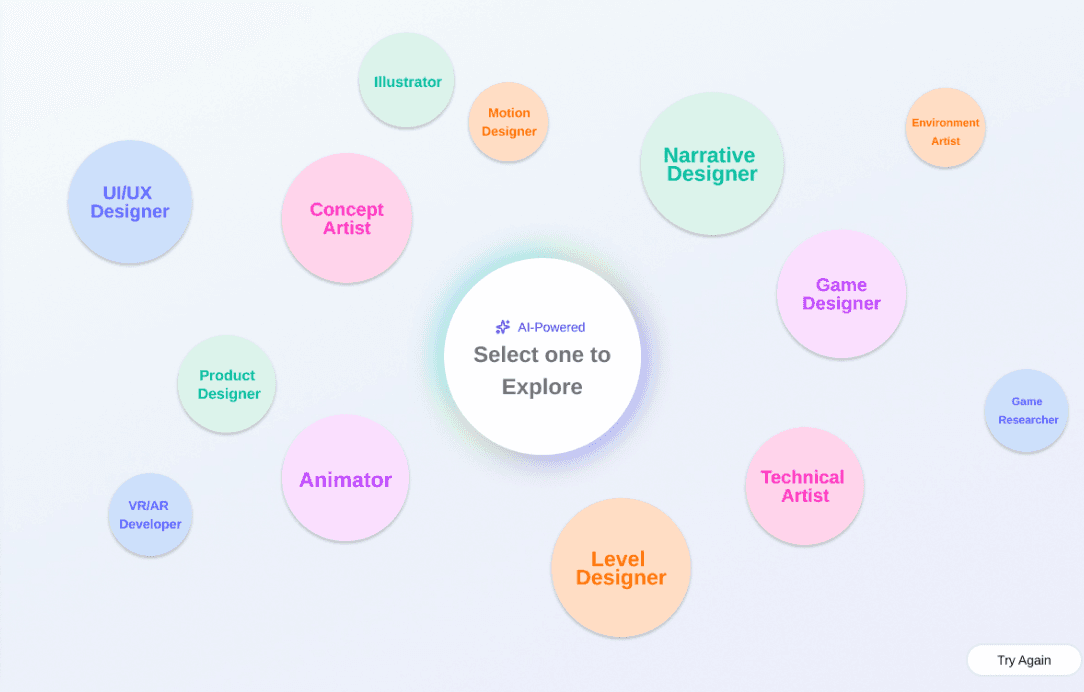
Problem: Users struggled to see the match degree on the dashboard bubbles.
Solution: Added a Hover Effect to the career bubbles. Now, hovering reveals the specific match percentage and a brief career summary.
Before
After
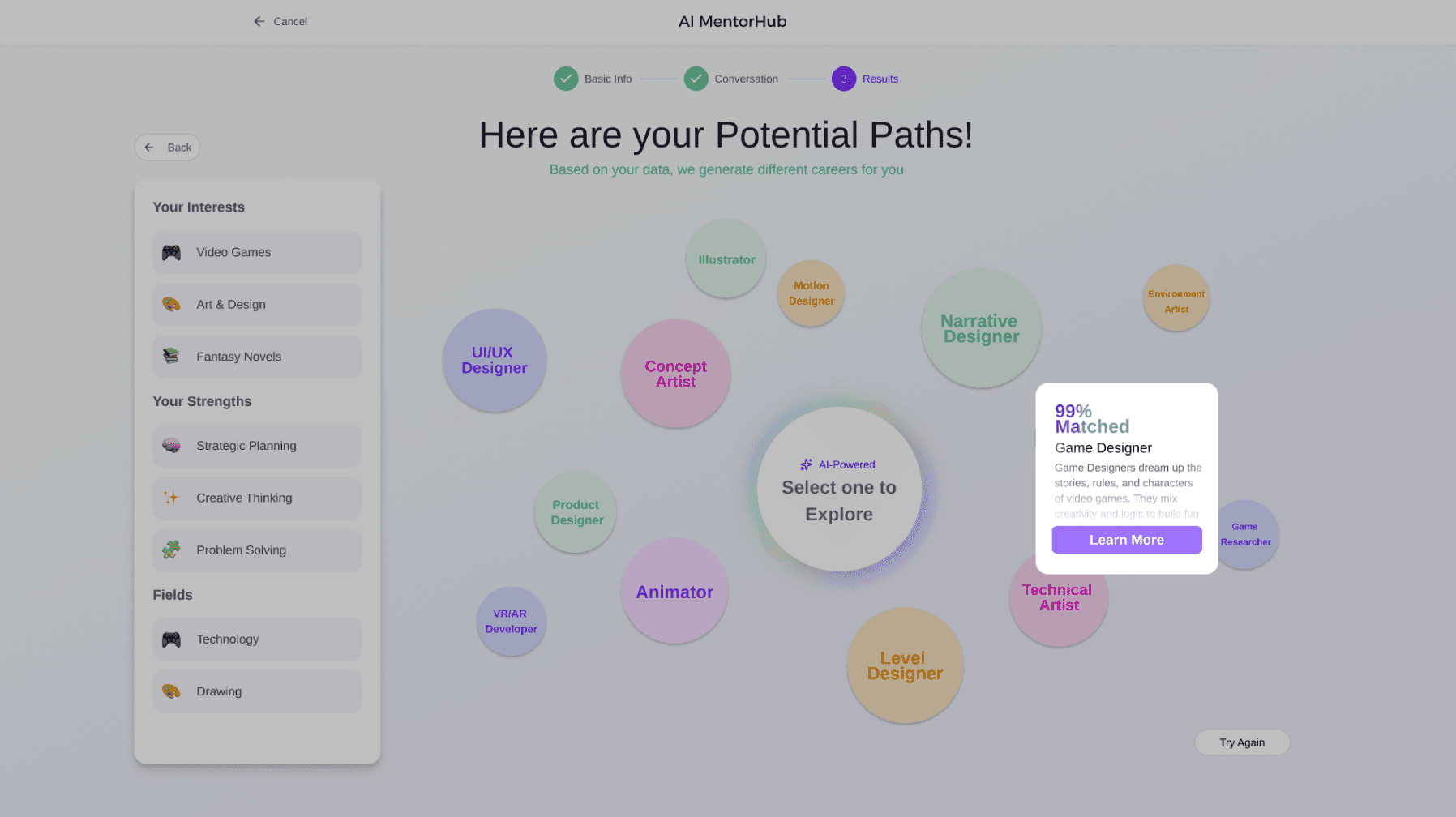
Renamed reset button to "Try Again", in order to avoid confusion.
The word is a bit confusing
Add a pop-up message to show match percentage and brief summary
Problem: The career detail page had too much dense text, overwhelming users.
Solution: Add "Learn More" underlined text. Hide the secondary details, keeping only the key introduction visible to reduce cognitive load.
Problem: Users felt the interaction ended abruptly after rating the result.
Solution: Added a confirmation message: "We appreciate your feedback! It helps us improve our service" to close the loop emotionally.
Before
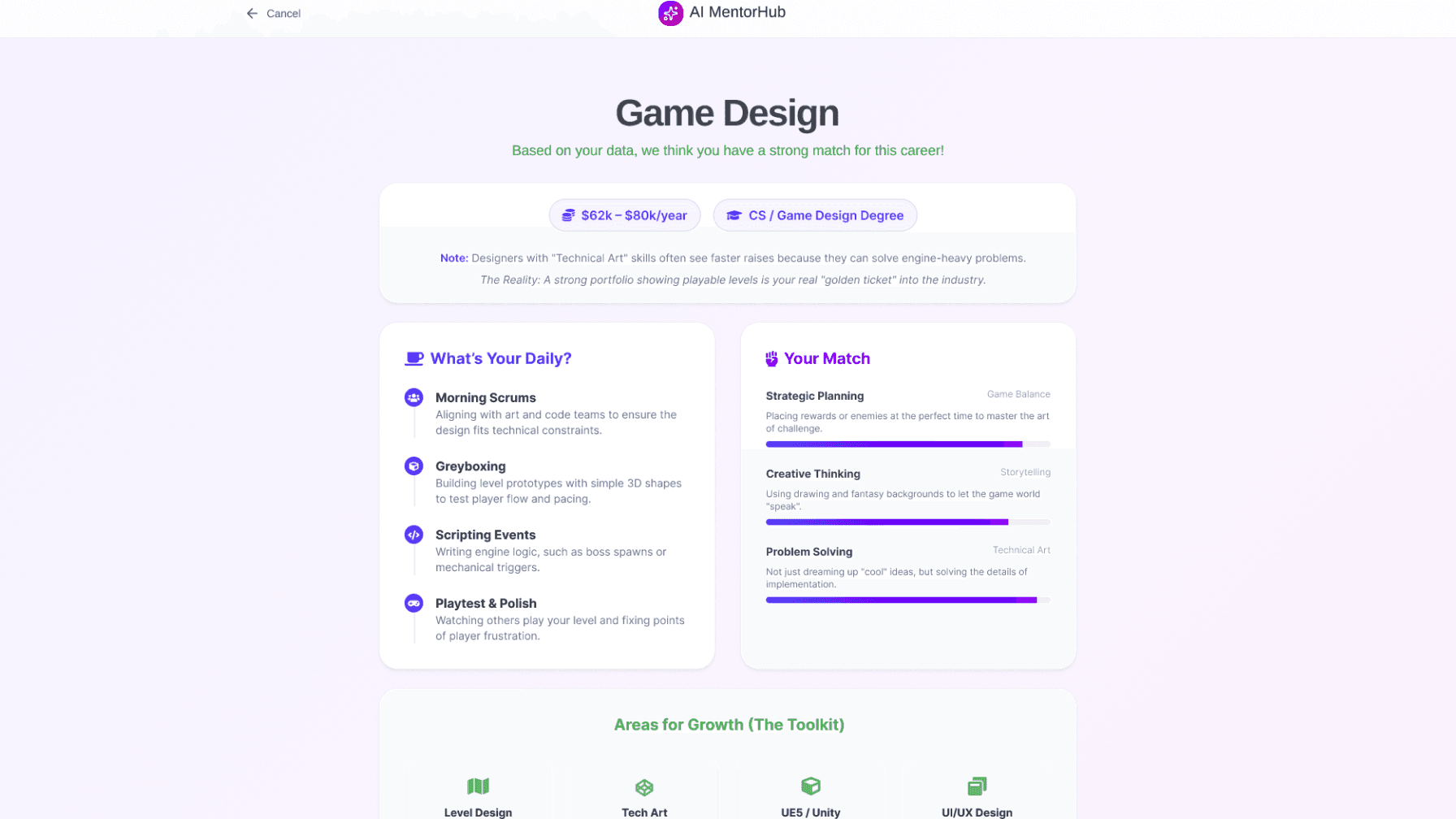
After
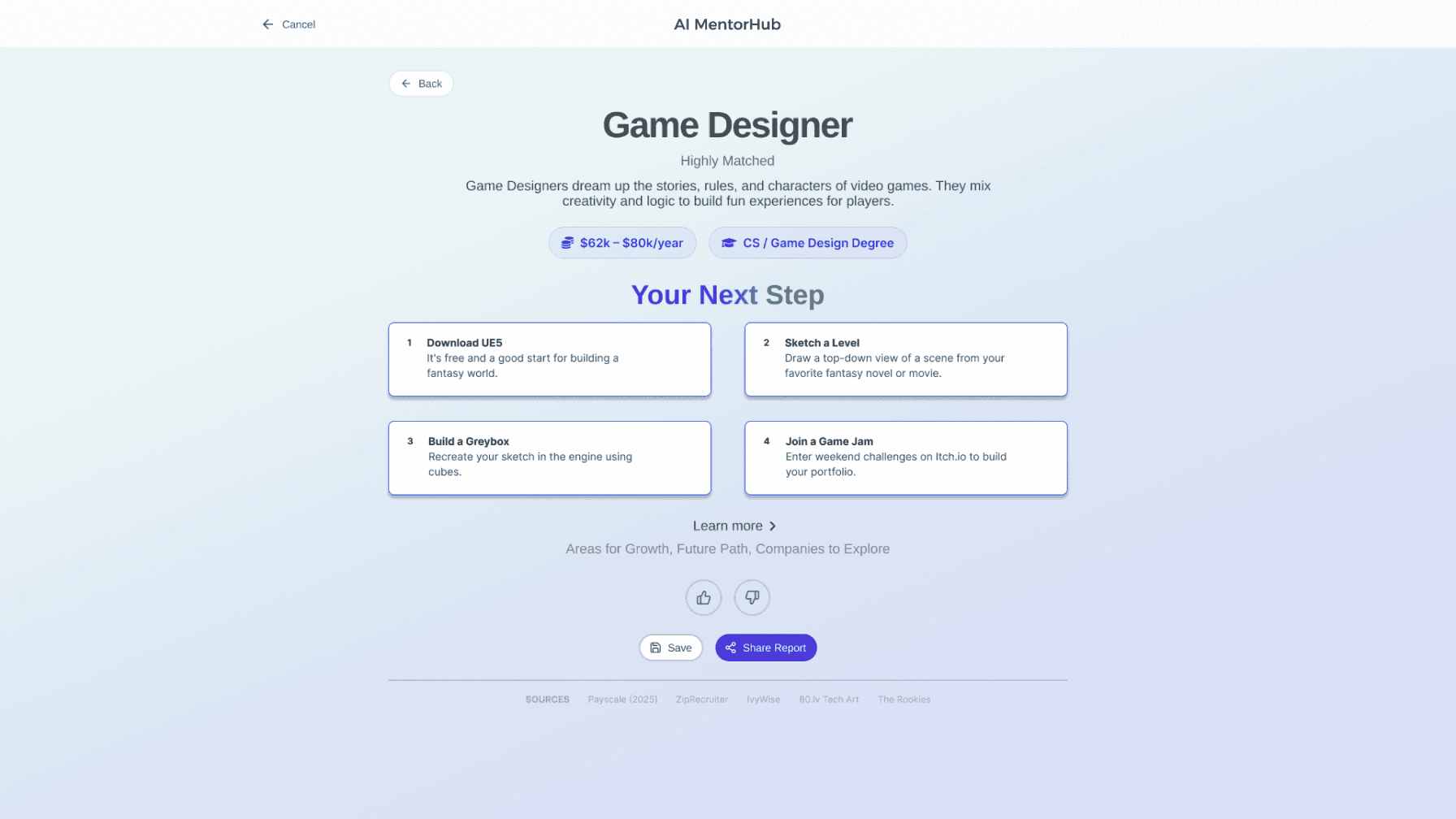

Add a rating button and a confirmation message “We appreciate your feedback! It helps us improve our service”
Add "Learn More" underlined text and keeping only the key introduction visible to reduce cognitive load.
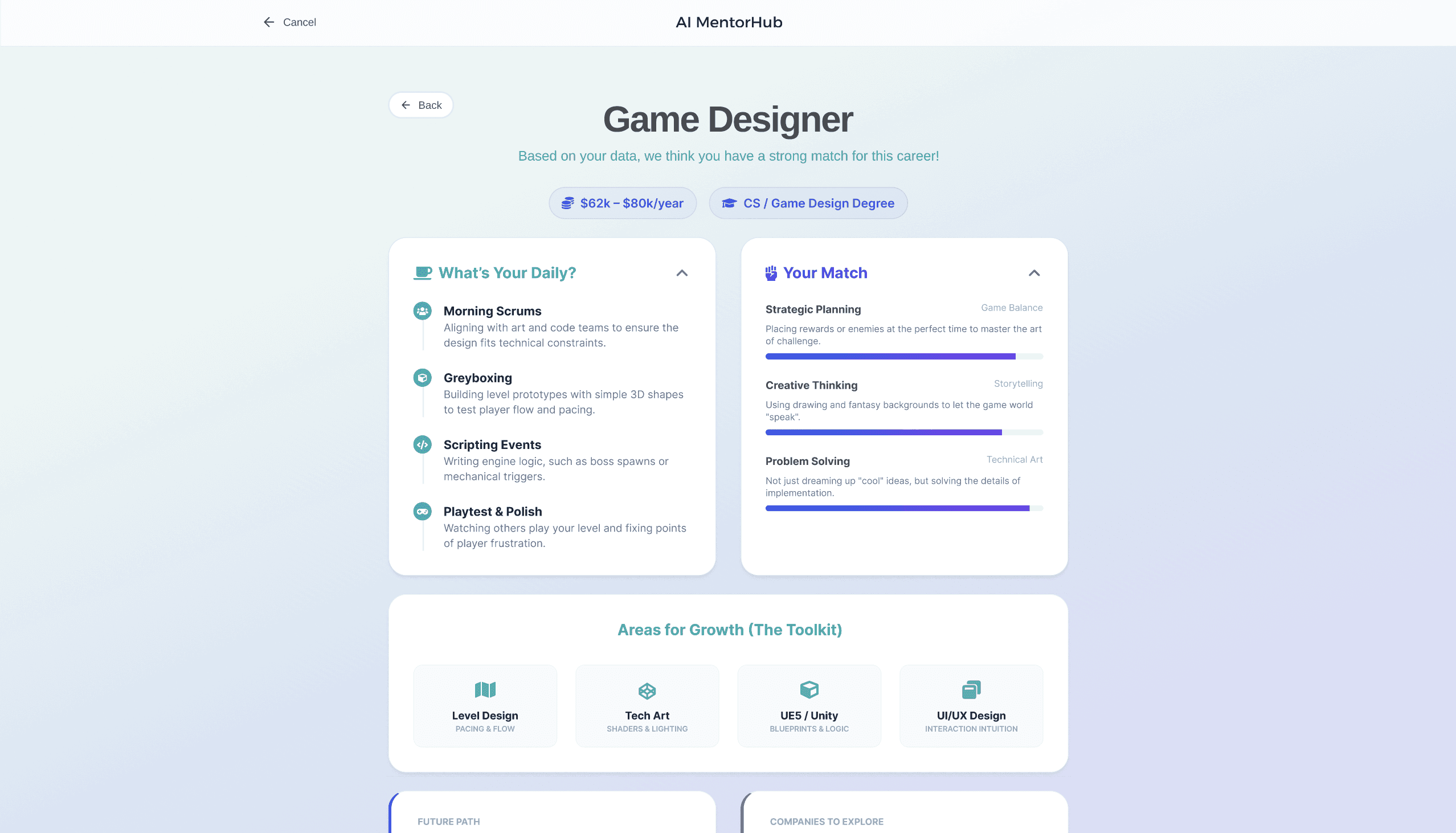


Too many texts with no key points.
Before
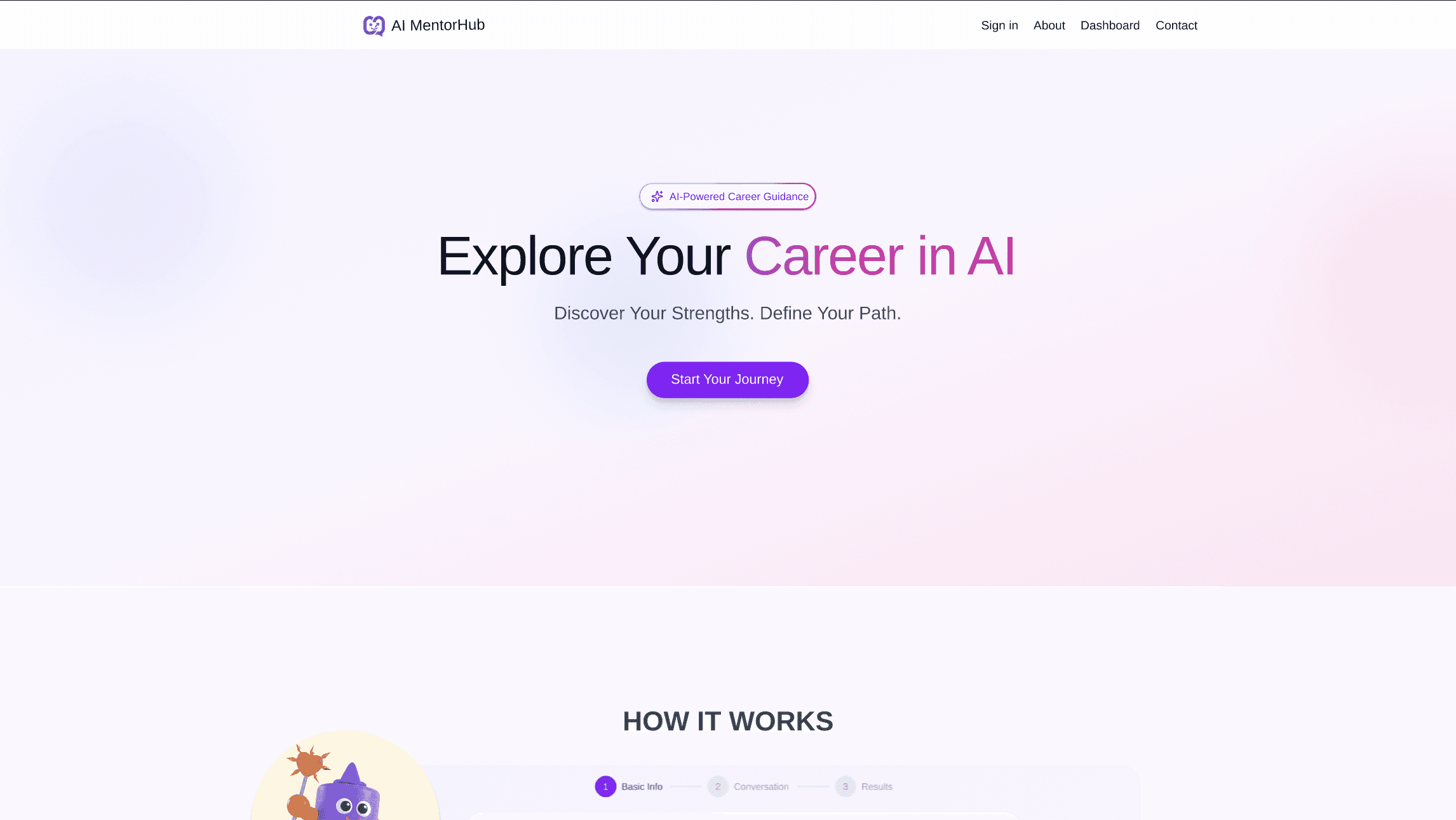
After
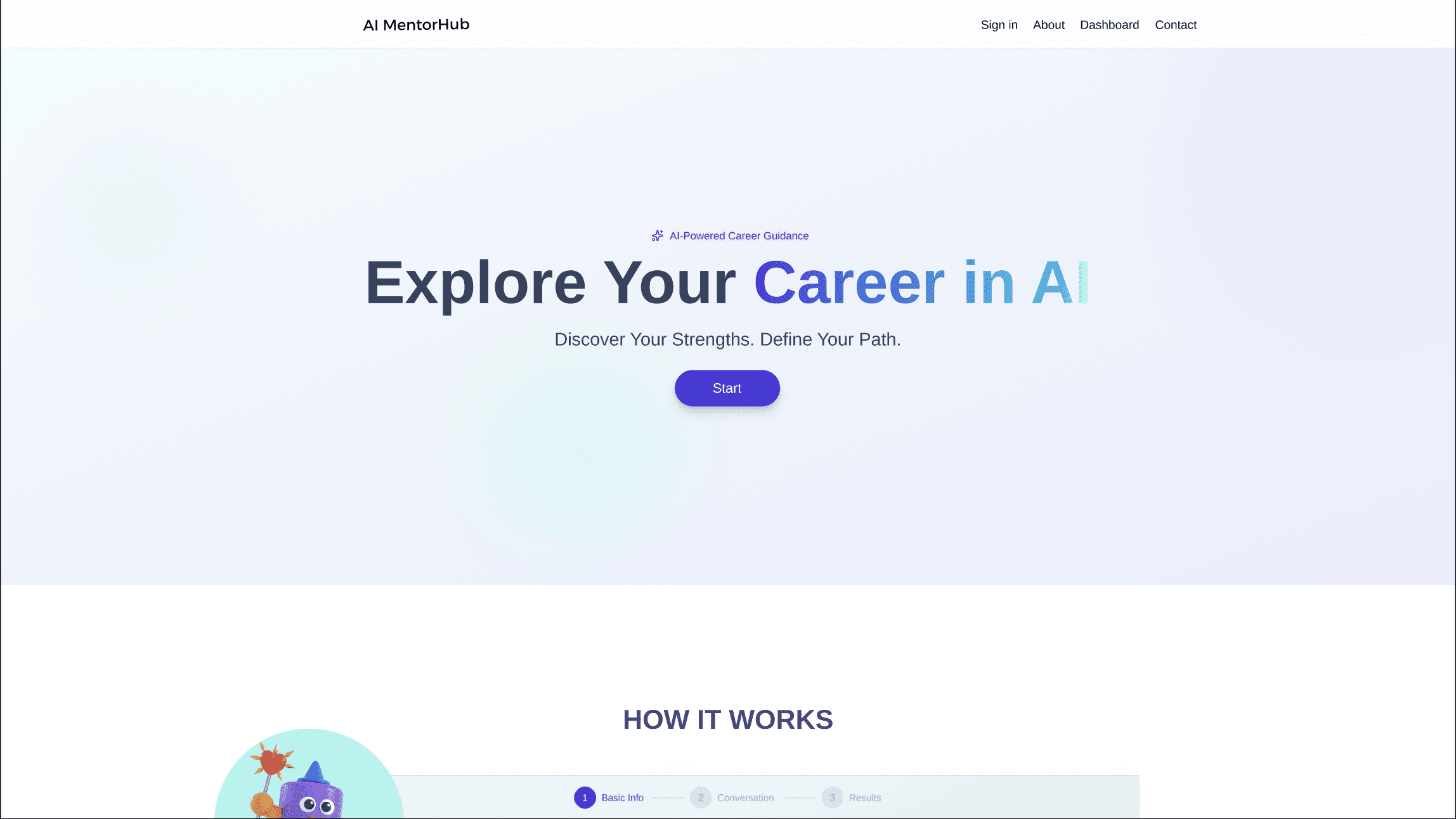
Problem: Feedback indicated the color scheme felt "too AI-generated" and lacked uniqueness.
Solution: Developed a new color palette based on referenced mood boards.
Problem: Users didn't realize they could create custom tags if they didn't see their interest in the list.
Solution: Redesigned the search input to be explicit: "If you can’t find the interest you want, please type it here."
Problem: Users think the regenerate block and the design for selection of choices seem too heavy.
Solution: Replaced the regenerate block with one button. Removed the checkboxes entirely. Now, the entire tag acts as a toggle button for a cleaner, more intuitive selection experience.
Problem: Users think it is annoy that every time they want to know what they choose before, they need to click “back”
Solution: Add a drop down menu with the selections user chose before
After
Before
Replace the current block with a single button. Add a hover to label the action as 'Regenerate'
Redesigned the search input
Add a drop down menu to remind user what they selected before
Removed the checkboxes entirely.
Problem: Start Journey" missed & "Explore more path" label confused users.
Solution: Enhanced button prominence and renamed reset action to "Try Again".
Problem: Users struggled to see the match degree on the dashboard bubbles.
Solution: Added a Hover Effect to the career bubbles. Now, hovering reveals the specific match percentage and a brief career summary.
Before
After
Renamed reset button to "Try Again", in order to avoid confusion.
The word is a bit confusing
Add a pop-up message to show match percentage and brief summary
Problem: The career detail page had too much dense text, overwhelming users.
Solution: Add "Learn More" underlined text. Hide the secondary details, keeping only the key introduction visible to reduce cognitive load.
Problem: Users felt the interaction ended abruptly after rating the result.
Solution: Added a confirmation message: "We appreciate your feedback! It helps us improve our service" to close the loop emotionally.
Before
After
Add a rating button and a confirmation message “We appreciate your feedback! It helps us improve our service”
Add "Learn More" underlined text and keeping only the key introduction visible to reduce cognitive load.
Too many texts with no key points.
Before
After
Problem: Feedback indicated the color scheme felt "too AI-generated" and lacked uniqueness.
Solution: Developed a new color palette based on referenced mood boards.
Problem: Users didn't realize they could create custom tags if they didn't see their interest in the list.
Solution: Redesigned the search input to be explicit: "If you can’t find the interest you want, please type it here."
Problem: Users think the regenerate block and the design for selection seem too heavy.
Solution: Replaced the regenerate block with one button. Removed the checkboxes entirely. Now, the entire tag acts as a toggle button for a cleaner, more intuitive selection experience.
Problem: Users think it is annoy that every time they want to know what they choose before, they need to click “back”
Solution: Add a drop down menu with the selections user chose before
After
Before
Replace the current block with a single button. Add a hover to label the action as 'Regenerate'
Redesigned the search input
Add a drop down menu to remind user what they selected before
Removed the checkboxes entirely.
Problem: Start Journey" missed & "Explore more path" label confused users.
Solution: Enhanced button prominence and renamed reset action to "Try Again".
Problem: Users struggled to see the match degree on the dashboard bubbles.
Solution: Added a Hover Effect to the career bubbles. Now, hovering reveals the specific match percentage and a brief career summary.
Before
After
Renamed reset button to "Try Again", in order to avoid confusion.
The word is a bit confusing
Add a pop-up message to show match percentage and brief summary
Problem: The career detail page had too much dense text, overwhelming users.
Solution: Add "Learn More" underlined text. Hide the secondary details, keeping only the key introduction visible to reduce cognitive load.
Problem: Users felt the interaction ended abruptly after rating the result.
Solution: Added a confirmation message: "We appreciate your feedback! It helps us improve our service" to close the loop emotionally.
Before
After
Add "Learn More" underlined text and keeping only the key introduction visible to reduce cognitive load.
Add a rating button and a confirmation message “We appreciate your feedback! It helps us improve our service”
Too many texts with no key points.
Before
After
Problem: Feedback indicated the color scheme felt "too AI-generated" and lacked uniqueness.
Solution: Developed a new color palette based on referenced mood boards.
07. Final Showcase
07. Final Showcase
Color Palette
Color Palette
#DAD5FB
#DAD5FB
#A4F0FF
#A4F0FF
#1F2937
#1F2937
#1F2937
#1F2937
08. Takeaways
08. Takeaways
My biggest 'aha moment' on this project came from just watching users interact with the prototypes. I realized that when users did things we didn't expect, it actually revealed needs we hadn't even thought of.For instance, seeing people hesitate or get confused made it clear that a simple, step-by-step tool wasn't enough, we needed to offer more guidance along the way. This project really taught me to stop designing based on my guess and start designing based on data. The feedback from usability testing helped me find these pain points in the design that I had totally missed.
Every round of testing helped me see where people were getting stuck. I found that even small changes, like adding a clearer search button or adjusting a color could make a huge difference. It was all about constantly refining the prototype based on real feedback. That cycle of improvement is what allowed me to build a better, truly human-centered product.
My biggest 'aha moment' on this project came from just watching users interact with the prototypes. I realized that when users did things we didn't expect, it actually revealed needs we hadn't even thought of.For instance, seeing people hesitate or get confused made it clear that a simple, step-by-step tool wasn't enough, we needed to offer more guidance along the way. This project really taught me to stop designing based on my guess and start designing based on data. The feedback from usability testing helped me find these pain points in the design that I had totally missed.
Every round of testing helped me see where people were getting stuck. I found that even small changes, like adding a clearer search button or adjusting a color could make a huge difference. It was all about constantly refining the prototype based on real feedback. That cycle of improvement is what allowed me to build a better, truly human-centered product.
Key Features

Relaxing UI & Trust-Building
Relaxing UI & Trust-Building
Utilizes a clean interface with a soothing, comfortable color palette, specifically tailored to resonate with a younger demographic.
Reduces Cognitive Load
Establishes a "Relaxed Trust Platform"
Low Barrier Interaction
Low Barrier Interaction
Replaces long, complex career assessments with a frictionless interaction model. Users can simply answer a few questions by clicking AI-generated choices.
Lower the barrier of Using
Create an intuitive, low effort experience

Explore Career Paths
Explore Career Paths
Dynamically generates a visual, interactive data-based network graph that maps out various career perfectly aligned with the user's inputs.
Visualize Complex data
Encourage Exploration